Category Archives: Uncategorized

10 Common CCTV Problems and how to fix them

Why does the device just show embedded NVR in monitor and restarts every few minutes?

Take out all HDDs from the device, and disconnect all the cameras,
If it works, you should check the HDD or camera. The DVR is in good condition itself;
If it doesn’t work, it means you should check the power of DVR or change the monitor with high resolution;
If user tries all the above steps and still in vain, please contact your seller for repair.

What does 4K mean?

The name “4K resolution” refers to a horizontal resolution of approximately 4,000 pixels. It has been developed into a variety of standards. The DCI 4K resolution standard (4096 * 2160 pixels) is widely respected by the film and video production industry. Besides, UHDTV standard (3840 * 2160 pixels) is also popular which has twice the horizontal and vertical resolution of 1080p (as shown in the figure below)

What is TVL?

Generally speaking, the image on TV could be divided into many horizontal lines which are also called TV lines.A higher number of the horizontal lines means that a camera will be able to render images with more details.

What is Resolution?

Resolution is usually measured by the number of horizontal and vertical pixels. It can be expressed as number of horizontal point * number of vertical pixels. In a fixed plane, the higher resolution could provide better image.

What is ONVIF?

ONVIF is committed to providing and promoting open interfaces to the security industry for effective interoperability of IP-based physical security products.

How to add and connect the IP Cameras?

Before you start, please ensure the network connection is valid and correct.

  1. In the device local interface, you may select an idle window in the live view mode and click ‘plus’ icon in the center of the window to pop up the adding IP camera interface.
  2. Also, you may click Menu / Camera / Camera to enter the camera management interface and add cameras from the camera list.

For more details please refer to the product user manual.

Why there is noise of audio in live view or playback?

Check whether the audio of camera in web interface is normal.

Decrease the IPC audio-in. Please go to IE control page to decrease the audio and try again.

Make sure the cable connecting is right, and the audio equipment is matched with the NVR technical standard.

Is it possible to connect a HIKVISION IPC to a third-party NVR? Or a HIKVISION NVR to a third-party IPC?

Yes, it is possible. All Hikvision NVRs and cameras are self-adaptive with ONVIF protocol, so it is accessible for those third-party devices which support ONVIF protocol.

What should we do if we experience playback lag via single channel on local GUI?

Playback lag is usually caused by the network packet loss or insufficient hard disk performance.

Step 1:

Please check whether the channel has lags when live view via single channel.

A、If the channel has lags when real-time preview, it may be caused by non-full frame rate or the network condition. Please check the frame rate and the network condition.

B、If the real-time preview of the channel has no problem, the playback lag may be caused by insufficient hard disk performance. Please test according to the third step.

Step 2:

The analysis of the real-time preview lag is listed as follows:

A、Please make sure the main stream frame rate of IPC has been set as full frame rate.

B、Please check if it has the network packet loss problem or VLC preview lag based on VLC preview. If it exists both of the network packet loss and VLC preview lag, please test your network.

Step 3:

The real-time preview of the channel has no problem,the analysis of playback lag is listed as follows:

A、This kind of situation is likely to be caused by insufficient hard disk performance.

The operations which are related with hard disk read/write would appear lag, such as visiting playback interface and log information etc.

B、The video works well on PC which is downloaded from NVR.

C、If NVR installs many disks, please try to play back video files during different time periods. The time span should be as long as possible. And please make sure the playback files and the playback lag files are not in the same disk. Playback files in different disks are usually without lag.

If it meets the above three points A、B、C, we could remove the corresponding hard disk and replace with a new hard disk.

Step 4:

Please provide all the necessary information such as models,versions and specific issue description of NVR and IPC to the technical support.

What should we do if we experience lag when multi-channel play back?

Multi-channel playback is usually caused by the decoding performance of the device.

Description of step 1: Please check how many channels play back simultaneously would appear lag.

Description of step 2: Please provide all the necessary information such as models,versions and specific issue description of NVR and IPC to technical support.

Local live view lags

Troubleshot procedure:

Steps:

  1. Please go to Record / Parameters / Record to check if the live view stream is full frame rate.
  2. Check network conditions. The possible reasons are network congestion and packet loss. We may use ‘Ping’ command to check if network congestion exists. Besides, we may check if lags occurs in the record which usually caused by packet loss.
  3. Check if the problem is caused by IPC. We may check the IPC live view in IE browser, if the same problem exists, please refer to IPC troubleshot

Local live view black screen

Trouble-shooting procedure:

  1. Check if there is any error hint. Please move to step 2 if no error hint. If the error hint is ‘No link’, it indicates the problem is caused by IPC off line, please refer to IPC troubleshot. If the error hint is ‘No resource’, we can lower main/sub stream resolution to solve it.
  2. If there is not any error hint, we could upgrade IPC firmware version and test again.
  3. Besides, please go to Configuration / Live view / View to check if the IP channel is banned (‘X’ means banned).
  4. If the problem remains after step 1 and step 2, please contact with technical support for further support.

Why is the DVR/NVR beeping?

In the DVR/NVR local interface, go to Menu / System configuration / Exception. Go through the list of exception type. Select each exception type and un-check AUDIBLE WARNING if it is checked for that exception. If the unit stops beeping, then the current exception selected is the cause of the beeping.

Common issues for the DVR/NVR beeping are the following:
HDD not formatted or in error state, IP address conflicted, Record/Capture error, Network disconnected …

TIANDY – 4TH IN GLOBAL GROWTH REVENUE, 11TH IN TOTAL GLOBAL SALES

Security TOP 50 is one of the highest authority rankings in the global security industry. Comprised of world leaders for security industry products, and ranked by product sales. Participants range from exclusive manufacturers to end-to-end solution providers. A&S media has given a high assessment to Tiandy’s performance in the global security market in recent years. With their independent research, innovative technology, and product quality upgrading after years of effort,Tiandy has become a major provider based on IP projects & distributors. Their IP products have permeated into over 60 regions around the world, such as, London Heathrow airport, Turkey Custom, Korea Suwon smart city, construction project of Beijing Olympic games and etc.

 Tiandy

Tiandy is a top 10 leading CCTV manufacturers in China, and a global supplier of advanced video surveillance solutions. Founded in 1994, this manufacturer is committed to providing customers with expert technical advice and support in addition to products that are developed and tested for professional applications.

With their strong R&D team of over 500 engineers, their aim is to offer up-to-date technology to support their partners in different applications. By following ISO9001 standard and strict internal QC system, this manufacturer is able to control the defect rate of their products to be lower than 0.3%. .

STARLIGHT

Colour images in low light applications in a range of cameras from Domes and bullets to PTZ’s.

 VIEW OUR STARLIGHT RANGE

PTZ

A range of PTZ cameras from 22x to 44x zoom, Starlight, as well as 360 degree.

VIEW OUR PTZ RANGE

NVR

A range of H.264/H.265 NVRs in Channel Configurations from 4 Channels up to 320.

VIEW OUR NVR RANGE

How to Choose a Suitable Security Camera

How to Choose a Suitable Security Camera

If you are trying to choose a security camera, the choice can be mind-boggling. Here are some tips to help you out.

1. Understand the variety of security camera types available:

  • Infrared (IR) security cameras.
  • Dome cameras
  • Pro box cameras
  • Pan tilt zoom cameras
  • Hidden cameras.

2. Consider the advantages of using an infrared (IR) security camera.

This is a popular type of camera for both business and home.

  • Infrared Cameras produce high resolution color video during the day. In low lux (light) or no light conditions they are the preferred camera type.
  • They are able to “illuminate the area” by automatically switching from color to black and white. The infrared illuminators turn on and allow you to see much cleared that the human eye in both low light and no light.
  • Whether being used indoor or outdoor, they provide a huge advantage in low light or no light situations.
  • They can be weatherproofed and can withstand hot and cold temperatures without any additional camera housing needed.
  • Indoor infrared cameras offer a clear video image in the light and in the dark.

Buy IR Security Cameras

3. Consider the advantages of a dome camera.

The different styles of domes include infrared domes, indoor domes, outdoor domes, vandal proof domes, and pan tilt zoom controllable domes. Classic “smoked” dome cameras offer an additional degree of surveillance as friends, customers, employees, and burglars have a difficult time seeing where the lens is actually pointing. The smoked cover does not affect picture quality.

  • Expect a clear colour high resolution picture with the dome camera.
  • Most pan tilt zoom cameras are in a dome type housing as well.
  • Professional “box type” cameras are used both indoor and outdoor with a camera housing.

 Buy CCTV Dome Cameras

5Consider the benefits of a pan tilt zoom camera.

These are cameras that can be controlled through the DVR, remote viewing software, and/or a joystick. They can go up, down, left, and right. They also have zoom capability.

  • For example, you can capture a license plate or zoom in on a face from far away.
  • You can also program them to do preset tours where you can have them monitor certain areas while you are away.
  • Airports, casinos, large department stores such as Target or Walmart are examples of places that use PTZ (Pan Tilt Zoom Cameras).
  • Pan tilt zoom cameras are expensive, starting at $500 and up. The question is, “do you need a pan tilt zoom camera”, or can you use fixed cameras to get the desired solution?
  • Pan tilt zoom controllable cameras require one additional cable for operation. A CAT5 cable is needed in addition to the power/video RG-59 Siamese coax cable in order to control it live and over the internet. Simply run a CAT5 cable next to the RG-59 to control your pan tilt zoom camera.

Buy PTZ IP& Analogue Cameras

6. Consider the benefits of hidden cameras.

These offer perhaps the highest degree of surveillance. If you do not want someone to know that there is a camera, use a hidden camera. Fake smoke detectors, motion detectors, clocks, sprinklers, EXIT signs are examples of the type of hidden cameras that are used.

  • The main disadvantage is that hidden cameras do not have infrared capabilities which limit their performance in low light.
  • In addition, many hidden cameras are not weatherproof, so they take are not as useful as infrared bullet and dome cameras when being used outdoors.
  • Pharmacies, hallways of hotels, assisted living facilities, and homes are examples of some of the applications in which hidden cameras are used.

Buy Covert PinHole Hidden Cameras

7. Decide whether you want wired or wireless cameras.

Wired cameras offer a larger selection of cameras and more importantly, much better video quality than wireless cameras. Wireless cameras can somewhat be misleading as they need to be powered at the camera location. In addition, they require a line of sight with no obstacles, which often poses an issue.

  • Reliability and video quality are the main reasons that you should use a wiredcamera. Wired cameras are powered back at the DVR location and only a single cable (RG-59 Siamese coax power/video in one) needs to be run from the DVR to each individual camera. You can run cameras up to 800 feet (243.8 m) away with this particular cable. If going over 800 feet (243.8 m) you will need to use CAT5 cable with video baluns and/or amplifier.
  • Expect a much longer lifespan and much higher quality with wired cameras.
  • Obstacles are not an issue with wired cameras. With that in mind, occasionally you may have a location of two that absolutely need it. In that case, you can plug the transmitter to the back of the DVR.

Buy Wireless IP Cameras

8. Different type of Security Cameras- Analog, AHD, HD-SDI, HD-CVI, HD-TVI and IP .

Buy Analogue CCTV Cameras

Why you should not buy cheap IP CCTV Cameras – Hacked CCTV Home Security

Breached webcam and baby monitor site flagged by watchdogs 

Webcam website

HACKED CCTV HOME SECURITY

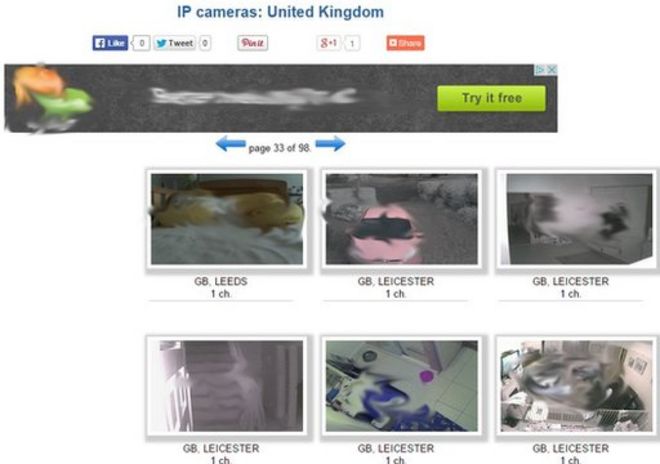
Image captionThis edited screenshot shows a bedroom, living rooms, a hallway and a driveway in the UK

The public is being warned about a website containing thousands of live feeds to baby monitors, stand-alone webcams and CCTV systems.

Data watchdogs across the world have drawn attention to the Russian-based site, which broadcasts footage from systems using either default passwords or no log-in codes at all.

The site lists streams from more than 250 countries and other territories.

It currently provides 500 feeds from the UK alone.

They include what appear to be images from:

  • an office in Warwickshire
  • a child’s bedroom in Birmingham
  • a home’s driveway in Nottinghamshire
  • a gym in Manchester, a pub in Salford
  • a shop interior in London

The site’s database shows listings for 4,591 cameras in the US, 2,059 in France and 1,576 in the Netherlands.

Smaller numbers of feeds are also identified as being available from developing economies including Nicaragua, Pakistan, Kenya, Paraguay and Zimbabwe.

Some of the feeds showed a static image but did not otherwise appear to be working.

The privacy watchdogs have provided the name of the site to the media, however the BBC has opted not to publish it.

The administrator of the site told the BBC via email that he was not Russian. He added that he did not consider himself a hacker as the cameras featured on the site had extremely weak password protection.

As well as setting hard-to-guess passwords instead of the default one that came with the device, camera owners are also being advised to check their equipment and turn off remote access if they do not need it.

One wireless camera maker, Foscam, reiterated this advice pointing out that it has altered the software it uses to force customers to choose a new password in place of the default one.

The company condemned what it called “a gross violation of people’s privacy.”

“An analogy best describing this would be just because someone leaves their window open it does not give permission for an unauthorized individual to set up a camera outside their window and broadcast the feed worldwide,” said chief operating officer, Chase Rhymes in a statement.

UK Information Commissioner Christopher Graham said he wanted to “sound a general alert”, warning “there are people out there who are snooping”.

He told BBC Breakfast: “It’s got more than 500 UK webcams where there is a facility for remote access to check what’s going on in the shop, what’s going on at home, how’s the baby.”

 “You can’t rely on preset passwords”

If the site was actually trying to alert people to the security breach – as it claims – then “now we all know and please will they take it down,” he added.

When asked about a feed that appeared to show a child in its bedroom, Mr Graham said: “It is spooky. But after all, it is the responsibility of the parents to set a proper password if you want remote access.”

He said he would work with the Russian authorities and others to have the website shut down, adding that such a site would be illegal in the UK.

Those whose webcams and baby monitors had been breached cannot be contacted due to the Data Protection Act and the Computer Misuse Act, said the commissioner.

The ICO acknowledged that some parts of the press might now identify the site, driving traffic to it.

“The bigger risk for ourselves is that people continue to use unsecure passwords,” an ICO spokesman added.

Password problems

The site in question lists the feeds both by country and by device manufacturer.

The kit has not been “hacked”, rather software and search tools have been used to scan the net for feeds that can be accessed using the cameras’ default settings.

China-based Foscam was the most commonly listed brand, followed by Linksys and then Panasonic.

“We are still trying to determine which Linksys IP cameras are referenced on the site,” said a spokeswoman from the US firm.

“We believe they are older Linksys IP cameras which are no longer being manufactured.

Foscam camera
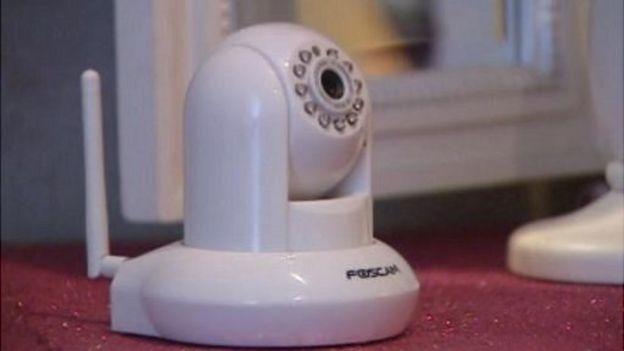
Image captionOwners of old Foscam baby monitors and webcams may be unaware of the risks

“For these cameras we do not have a way to force customers to change their default passwords. We will continue to educate consumers that changing default passwords is extremely important to protect themselves from unwanted intruders.

“Our newer cameras display a warning to users who have not changed the default password; users receive this warning whenever they log into the camera, until they set a new password.”

Panasonic added that its CCTV kit was also designed to encourage users to set their own log-in credentials.

“Every time a user logs on to our system, they are prompted to change their default password,” said Sean Taylor, a security executive aT the firm.

“We would urge all users to change passwords regularly, in order to maintain the integrity of the system.”

Foscam added that its current range of products also requested owners set their own passwords.

This is not the first time problems with Foscam cameras have been highlighted. In 2013, a family based in Houston, Texas revealed that they had heard a voice shouting lewd comments at their two-year old child coming out of their Foscam baby monitor.

The company provided a software fix the same year that prompted owners to revise default login credentials, but many owners are unlikely to have installed it.

For now, the ICO said it was unable to halt the Russian website or others like it beyond the UK’s borders.

“If a website in the UK did this we would take action against it because firstly it’s a breach of the Data Protection Act because you are accessing people’s information and you shouldn’t be, and secondly there are also issues around the Computer Misuse Act as well,” the spokesman added.


Password tips:

Passwords

The University of Surrey’s Prof Alan Woodward is among security experts who have suggested internet users should now update their login details.

He suggests the following rules should be observed when picking a new password.

Don’t choose one obviously associated with you

Hackers can find out a lot about you from social media so if they are targeting you specifically and you choose, say, your pet’s name you’re in trouble.

Choose words that don’t appear in a dictionary

Hackers can precalculate the encrypted forms of whole dictionaries and easily reverse engineer your password.

Use a mixture of unusual characters

You can use a word or phrase that you can easily remember but where characters are substituted, eg Myd0gha2B1g3ars!

Have different passwords for different sites and systems

If hackers compromise one system you do not want them having the key to unlock all your other accounts.

Keep them safely

With multiple passwords it is tempting to write them down and carry them around with you. Better to use some form of secure password vault on your phone.

How to Install a Security Camera System for a House

The idea of drilling holes through the walls of your house to run video and power cables for a security camera system might seem daunting, but many security systems come in all-included packages that make setting up your surveillance system a breeze. Read on for guidance on buying and installing your own home camera system.

Method 1

Edit Preparing Your Home

  1. Make a diagram of your surveillance needs. It is both expensive and inefficient to monitor every square inch of your house, so you need to prioritize what areas you want to watch the most. Draw up a rough diagram of your house or print out the blueprints and note where you might want to place cameras. When you are done, check out each location to make sure it is not blocked by anything and provides the best view possible. You may want cameras for:
    • Front and back doors.
    • Off-Street Windows
    • Large common spaces (kitchen, living room etc.)
    • Driveways
    • Porches
    • Stairways
    Get your Right CCTV Package Here
  2. Buy the right package to suit your needs. You can buy each piece individually, but it is generally cheaper and easier to buy bundled security systems. At a minimum your system should have 1-3 cameras, a DVR (digital video recorder), appropriate wiring (siamese and BNC cables), and power cords. Unless you are choosing to monitor a large area, wireless cameras with wall mounting should cover your needs.
    • Basic Home Security: Get a package with 2-3 outdoor cameras (to monitor doors), and a DVR with at least 3 days of recording time.
    • Monitoring Valuables/Young Children: 1-3 indoor wireless cameras can cover a small room effectively and stream the footage right to your computer.
  3. Alternatively, buy your cameras individually. Once you know how many cameras you need, you’ll need to think about what specific cameras you want. A home surveillance system can cost anywhere from a few hundred dollars to well over a thousand, so make sure you consider the type of cameras you need before buying — the features below should be clearly labeled on the box. While you can buy all of the parts separately, buying a full “surveillance set” is usually cheaper and easier to install.
    • Wireless vs. Wired: Wireless cameras are easy to set-up without drilling or running cables through your house, but the quality can be sub-par the further they get away from the receiver. If you are covering a big area, go wired, but most houses find wireless an easier set-up process.
    • Indoor or Outdoor: Cameras that are not made to be placed outside will quickly break when exposed to rain and humidity, so be sure to choose accordingly.
    • Motion Sensing: Some cameras will only record when they notice motion, saving lots of space and energy while only capturing footage when someone is in the room.
    • Remote Viewing: Many high-end cameras offer the ability to stream their footage to your phone or laptop anywhere in the world, making it possible to check out your house through a provided program or app.
  4. Set up a recording device and monitor. In order to store and view your footage, you need a Digital Video Recorder (DVR). This device receives all of the video feeds and broadcasts them onto a monitor, usually a computer screen or small TV. DVRs have a variety of memory capacities that allow them to store a certain amount of video, from hundreds of hours to one day’s worth of footage.
    • If you buy a complete surveillance set the DVR is usually included with the camera.
    • Network Video Recorders (NVR) and analog recorders (VCRs), also available for purchase, work the same way as a DVR, using an internet signal (NVR) or blank tapes (VCR) to record instead of a digital hard-drive. The following installation tips will work here as well.
  5. Test your equipment before installing. Make sure your cables, DVR, cameras, and monitor all work by connecting each one before you install anything.

Method 2

Installing a Camera

  1. Choose a high, broad angle for your camera. The best angle of any room is usually looking down from the corner where the ceiling meets the walls. Make sure you can clearly see all entries and exits and that the camera is near a power outlet.
    • If you are mounting a camera outside, place it above 10ft so that it cannot be easily knocked down.
  2. Mount your camera to the wall. Some cameras come with sticky pads to adhere your camera to the wall, but screwing your camera in is the safest way to mount your cameras long-term. While every camera is different, most of them can be mounted the same way:
    • Place the mount in its desired location.
    • Using a sharpie, make marks on the wall where each screw should go.
    • Drill a hole for each screw using an electric drill
    • Hammer in any molding pins.
    • Screw the mount into the wall.
    • Position the camera to your desired angle.
  3. Attach your camera to a power source. Almost all cameras come with a power adapter that plugs into a normal wall socket. Plug the small, round end into the power input on the back of the camera and plug the other end into the outlet.
    • If your power adapter is missing or broken, contact your manufacturer.
  4. Attach a wired camera to your DVR. Surveillance equipment is connected using a BNC (Bayonet Neill–Concelman) connection. BNC cables are simple to use — they are identical on both sides and you simply plug them into the appropriate port, turning a small nut on the end to lock it in place. Plug one end into your camera’s “Output” and the other into one of the DVR “Input” ports.
    • Note which input you plug into — this is the input your DVR must be set to in order to view your camera’s video.
    • If your cable does not have a BNC connection you can buy a simple BNC adapter online or at a hardware store. This will slip onto the end of your cable to make it BNC compatible.
  5. Link wireless cameras to your computer. Wireless cameras will come with a software disc that you need to install to view your feeds. Follow the on-screen instructions to access your cameras.
    • Some cameras have a small receiver that attaches to your computer through a USB port. Make sure this is properly attached.
    • Write down your camera’s IP address (ex. 192.168.0.5) if provided — this number can be typed into any web browser to view your camera remotely.
  6. Attach the monitor to the DVR. This connection frequently uses a BNC cable as well, but some DVR’s can attach with HDMI cables or coaxial cables. Using your preferred connection, attach one end to the DVR’s “Output” port and the other to the monitor’s “Input.”
    • You can hook up as many cameras as your DVR has inputs — it will automatically record every camera you install.
    • Note which input you plug into– this is the input you need to choose to see your cameras.
  7. Troubleshoot any connection issues. Check that the camera, DVR, and monitor are all hooked up to a power supply and turned on. Make sure your cables are securely attached and that you have selected the right inputs for your DVR and monitor. Some monitors will display every camera at the same time, others have “input” buttons that allow you to switch between cameras.

Method 3

Consolidating your Surveillance System

  1. Create a central “surveillance hub.” When you are wiring a lot of cameras at once, you’ll need one simple place to bring all of the feeds together to your DVR. This should be a place that is easy to access, and where you can comfortably run wires from anywhere in the house. Attics, offices and your internet router all make good places to base your surveillance system.
    • You should only need one DVR for all of your cameras.
  2. Use Siamese cables to wire your system effectively. The most common surveillance cable is a Siamese cable, named because it consists of two cables attached together. One is for power, and the other is for video. This means you will only have to run one wire through your house to set up each camera. The cable is usually sold as RG59 or RG6.
    • The braided red and black side is for power. Red is positive and black is negative.
    • The singular, cylindrical cable is for video. Each end will have either a BNC attachment or a coaxial cable.
  3. Use a power supply box to power multiple cameras through one outlet. Power boxes, available online and in hardware stores for $30-$50, allow you to power your cameras through a single wall outlet. They come with multiple ports and are great for powering close-together cameras or cameras that aren’t near an outlet, like attic cameras. However, you will need to run lengthy amounts of wire to attach each camera to the same box.
    • Always attach the cameras before hooking the box to electricity.
    • Make sure you buy a power supply box big enough to power each one of your cameras. They should list how many outlets they support on the box.
  4. Attach each video cable to a separate DVR port. Your DVR can handle multiple cameras at once, allowing you to record every room in the house with only one box. Your monitor will then display every camera, or you will have to cycle through them using the “input” button on your DVR.
  5. Hide your wires. To have a truly professional looking system you can run your cables through the walls and towards your surveillance hub. Be sure you know the layout of your walls and the location of any pipes, cables, or studs as you begin running wires. Running cables requires you to drill a hole in the wall, then thread the cable through the walls to your DVR through open spaces in your house, usually the attic.
    • If you are not comfortable drilling into your walls and running cables through, call a professional carpenter or handyman to take care of the cabling.
    • You can also secure cables to the walls or baseboards using a staple gun.
    • Consider hiding cables under rugs, but tape them down so that no one accidentally trips.
  6. Alternatively, call home security specialists to set up a custom system. There are many home security companies that will install cameras, motion sensors, and automatic emergency calling for you, though they cost much more than a typical DIY installation. However, if you have a large house, are uncomfortable with wiring, or want extra features like motion-sensors and alarm systems, call a security firm near you.
    • ADT, LifeShield, Vivint, and SafeShield are larger, nationwide providers of home security systems.

How Recognition can Prevent Crime and Improve Security?

Why Facial Recognition?
Public security threats along with increasing security demands from users continually pressure security manufacturers to create ever improving technologies. International news constantly peppers the public consciousness with reminders of present dangers. The public wants to know – can these events ever be prevented?

For everything from safe city projects to home protection, developments are underway all over the world, with their relative obstacles. Safeguarding family members, homes, property, and vehicles are the most common applications using these emerging technologies. But the number of video surveillance cameras used in any given application, with their various networks and demanding resolutions, has increased dramatically with an equal increase in challenges. An ability to fast-track through oceans of data to find the small amount that is actually critical is now in high demand.

On the security side of video intelligence technologies, increasing customer safety has been the primary driving factor. On the business side of video intelligence technologies, increasing customer satisfaction has been the primary driving factor. Here, both service and safety are critical. Facial recognition technologies will not only address these issues, but will improve on our abilities to overcome the challenges involved. More than just speed up or enhance current methods, facial recognition will open up new avenues for security and new realms of data wherever it’s needed.

Security Industry Difficulties & Requirements
Identifying suspects during post-event investigation poses many complicated difficulties. Challenges include everything from reviewing footage from scores of cameras, comparing two face images of the same person with a 10-year age gap, and extracting the 5% (or less) of useful information from massive amounts of data, to implementing pre-event alarms to prevent incidents and managing increased video storage challenges due to increased resolutions. And likely a lot more, too.

These obstacles can prove paralyzing for standard video surveillance systems, even with up-to-date equipment. The sheer amount of information being processed bogs down system hardware. This is where more data-heavy solutions are needed, precipitating the development of deep learning and artificial intelligence products. Along with those new technologies, facial recognition is undoubtedly one of the most important right now.

Common Insufficiencies in Facial Recognition Solutions
Conventional intelligent video surveillance carries very strict requirements for a scene’s background. For human facial recognition process, two key steps are required. The first one is Feature Extraction, where the features are designed by humans and are always subjective. This method performs well in very specific environments, and subtle changes in lighting, environment, etc., sacrifice accuracy. The second step is “Classification Learning”, which uses shallow learning and analysis. Far from ideal, the results here directly restrict the breadth and depth of intelligent applications.

Deep-Learning Benefits for Intelligent Video Surveillance
Deep learning is intrinsically different from other algorithms. The way it solves the insufficiencies of traditional algorithms is encompassed in a few concepts.

First, From “Shallow” to “Deep” 
The algorithmic model for deep learning has a much deeper structure than that of traditional algorithms. Sometimes, the number of layers can reach over a hundred, enabling it to process large amounts of data in complex classifications. Deep learning is very similar to the human learning process, and has a layer-by-layer feature-abstraction process. Each layer will have different “weighting,” and this weighting reflects on what was learned about the images’ “components.” The higher the layer level, the more specific the components.  Simulating the human brain, an original signal in deep learning passes through layers of processing; next, it takes a partial understanding (shallow) to an overall abstraction (deep) where we can perceive the object.

Second, From “Artificial Features” to “Feature Learning.” 
Deep learning does not require manual intervention but relies on a computer to extract features by itself. This way it is able to extract as many features from the target as possible, including abstract features that are difficult or impossible to describe. The more features there are, the more accurate the recognition and classification will be. Some of the most direct benefits that deep learning algorithms can bring include achieving comparable or even better-than-human pattern recognition accuracy, strong anti-interference capabilities, and the ability to classify and recognize thousands of features.

With deep learning technology, the average accuracy of facial recognition increases significantly. Hikvision has demonstrated its ability to advance ahead of the competition. Its advantages in Artificial Intelligence in security have come about by having its own excellent algorithm development team and using the most powerful GPUs in our computer platforms. The results include winning in multiple International Deep Learning algorithm competitions, such as ImageNet, PASCAL VOC, the MOT Challenge, and more.

Achieving the best results come from a combination of having the right hardware and developing algorithms that can perform the computational requirements. Hikvision has the industry’s first data computing platform with best-in-class hardware, and completely independent algorithm team.

Hikvision’s Facial Recognition Solution 
Hikvision’s Facial recognition Solution pushes the limits of what is possible with today’s advancements in recognition abilities. This solution detects human faces and recognises attributes create pre- and post-event face contrasting. With immense capabilities for data storage behind this solution, Hikvision’s Face Library can generate blacklists and whitelists to trigger alarms and automate entry and exit authorizations in a range of applications.

Hikvision embeds its algorithms within the cameras and recorders, so no PC server is needed. This means less delay in transmission, decreasing the burden on back-end devices. More than just efficiency, Hikvision holds a high success rate – the face-capture rate can reach 95% accuracy, with face-comparison accuracy rate up to 98%1 . Multiple models and types are available, with a wide variety of front-end or back-end combinations to meet multitudes of scenarios and environments. And with world wide support, all human faces are supported2.

Systems integrators will see a wide range of applications becoming possible with this facial recognition solution. It can be applied in banks, luxury shops, and hotels, to recognise VIP customers and initiate specialised services. Hikvision’s solution can be applied in security scenarios, like police stations, customs, international airports, government installations, and much more, to improve security and investigation efficiency.

3 Reasons to Ask for Advice Before Purchasing CCTV Cameras

    3 Reasons to Ask for Advice Before Purchasing CCTV Cameras

    Are you considering purchasing closed-circuit television cameras? Since you are here, that could well be the case. It’s easy to sit back and browse the internet, researching cameras and kits, and eventually settling on the one you want to buy.

    But hold on – did you consider getting some expert advice first? If not, here are three excellent reasons to do just that.

    1: you’ll benefit from dipping into more knowledge

    Chances are your knowledge of CCTV is limited. You’ll know more now than you did a short while ago if you have been researching the topic. But you’ll still know far less than experts who work in the industry.

    Speaking to an expert will ensure you can tap into their wealth of knowledge. This in turn will make it easier for you to choose the right cameras for your needs.

    2: an expert CCTV installer will highlight things you hadn’t thought of

    Do you know whether wired or wireless kits make the best sense for you? Have you considered how good the picture will be in darkness – especially given the absence of street lights outside your property?

    These are just two examples of questions an expert installer will highlight prior to you choosing your ideal CCTV system. That’s the beauty of seeking expert help – you don’t even need to think of the most important questions beforehand.

    3: you can make sure you get the best kit for your budget

    Budget, budget, budget – yes, it is one of the most vital areas to consider as far as you are concerned. But you also want to buy the best CCTV system you can within those parameters.

    Getting advice from an expert CCTV installer will ensure you gain access to a far bigger section of the market than you’d go into just by looking at two or three online sources of CCTV cameras. An expert may well be able to recommend a kit you’ve never heard of or encountered – one that is within budget and provides everything you will need and more.

    Going it alone might seem like the easiest route when you are shopping for CCTV cameras and kits. But as you can see, you’d miss out on a lot of information if you followed this path. Get some expert advice, consider it, and then you will be ready to find the best kit for you.

    For more : ertech.co.uk

    8 tips for choosing the right security cameras for you

    8 tips for choosing the right security cameras for you

    Choosing the right security cameras is a decision that businesses of all sizes and from all industries face.

    But as surveillance evolves and software advances, CCTV cameras are bringing business benefits way beyond just security. As a result, making the right choice can have more profound benefits than ever before.

    Below are 10 questions that businesses must ask themselves before investing in a new surveillance system.

    1. Do the cameras need to be discreet or act as a visual deterrent?

    The location and what you need to monitor will determine whether obvious or discreet cameras are required. Box cameras can be some of the largest and most obvious, reminding people that they’re being monitored and reducing the chance of theft.

    Dome cameras are the best to use for discretion due to their small half spherical-shape – the ultra-compact models are so small that they can fit in the palm of your hand. Lastly, PZT (Pan Tilt Zoom) cameras are good for monitoring expansive areas and following subjects easily.

    1. Will the security cameras be used indoors or out?

    Whilst most modern cameras can be used both inside and out, it’s important to consider features such as mounting and housing. For use in extremely cold environments, choosing a camera which has a durable design and an inbuilt heater means it will have the ability to start up and operate despite the temperature.

    In industries such as transport, for example, it’s also important to choose a robust video surveillance solution which can operate reliably in harsh environments and where there may be a high level of vibration.

    But it’s not just outside cameras that may need environmental housing. In industrial environments such as factories, for example, cameras may need to be protected from sawdust.

    In restaurant kitchens, ensuring the camera is protected from greases is also important and in bars and clubs, factors such as smoke machines and spilt drinks might impact whether housing is needed.

    canon surveillance camera
    1. How large an area do you want to cover?

    The area that you want to cover with a surveillance system will determine the best cameras to use and the network type you need. It’s useful to draw up a blueprint of the floor area to assess the amount and types of cameras needed.

    PTZ cameras work best for larger areas given their large range of view and ability to zoom in on particular activity. With Canon, wide angle views of up to 112 degrees enable you to monitor huge areas with just a single camera.

    This means surveillance networks can be established with fewer CCTV cameras, keeping costs down. Even at the widest viewing angles, image quality remains impressive.

    In comparison, smaller areas are only likely to require static cameras. There are also different types of networks which are required depending on the area size you want to monitor.

    Most businesses will only require a LAN network; however large networks will require a WAN network.

    1. How much image clarity and detail do you require?

    The size of the area you want to monitor will determine the resolution you need. For example, wide retail spaces will require high resolution cameras to ensure image quality isn’t compromised when zooming.

    Alternatively, smaller areas such as offices or reception rooms will typically only require low resolution cameras. It’s not always the case that the highest resolution camera is the best for every situation.

    Instead you’re better to assess each space one by one, spending your money effectively.

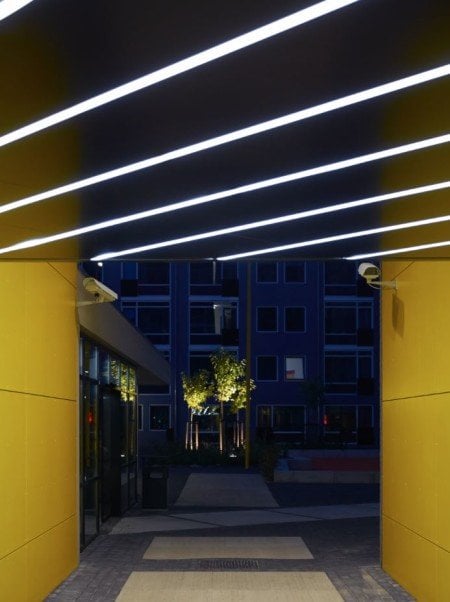
    1. City Living residence in the Netherlands, showing monitoring in various lighting conditionsWhat are the lighting conditions?

    It’s important to test cameras to see which models work best in the lighting conditions present at your premises. Areas inside and outside will experience different amounts of sunlight throughout the day, not to mention throughout the year as seasons change.

    Thinking about where the light will be is vital. For example, will there be a reflection off the floor?

    Is there strong backlighting creating a glare? For environments such as nightclubs, strobe lighting can have an effect on the camera.

    Thankfully there are a variety of technologies which will ensure you capture usable footage in a range of lighting conditions. Light filtering technology such as IR filters and artificial illuminators can amplify or reduce the amount of light reaching a sensor, creating clearer images during the day and night. 

    1. Is audio important?

    Integrating audio into a surveillance system makes it possible for personnel to hear and speak with possible perpetrators. It can be easily integrated with video management systems.

    From a surveillance point of view it can also be used as an independent detection method triggering recordings and alarms when audio passes a certain threshold. 

    1. Is scalability key? Will you need to add more cameras as time goes on?

    Having a flexible and scalable surveillance system is important. The problem with traditional CCTV systems is that they are a closed circuit meaning that everything is hard-wired and difficult to scale.

    It is therefore important to choose IP cameras which connect over a wireless network allowing you to easily grow and scale any installation as you need. Adding IP cameras to a network works in much the same way as adding a phone to a VOIP network – it’s simple and easy and there’s no wiring to change or update. 

    1. What parts of your business could benefit from effective surveillance and monitoring?

    Surveillance systems benefit businesses by not only monitoring theft, but increasing staff safety and confirming incidents. With the knowledge that they’re being protected, employees are more likely to feel safe.

    The portrayal of events provided by a surveillance system is also valuable for confirming incidents such as theft, work place violence, property damage and vandalism. This information is essential when suing for damages or reporting to law enforcement.

    But having a good surveillance system can bring benefits not just in terms of security and monitoring, but also in wider business operations and analytics.

    In industries such as retail, for example, the ability for surveillance systems to provide data and customer insights is changing the way that not only security departments work, but also marketing, customer service and IT departments, providing valuable insights to help vastly improve customer experience and profitability.

    For example, understanding how customers move throughout a shop is crucial to how products are laid out in the store and advanced features such as facial recognition can be used to estimate attributes such as the gender and age of shoppers.

    These capabilities can allow store owners to not only better understand the profile of their shoppers, but they also enable targeted advertising to be implemented to help display the most relevant products to their target market. 

    Benefits of Embedded Network Video Recorders (NVRs) over PC-based NVRs

    What are the Benefits of Embedded NVRs over PC-based NVRs?

    Today’s video surveillance industry is in the middle of a paradigm shift. With the increasing popularity of Internet Protocol (IP) cameras, it is believed that the market is shifting rapidly from analog to IP video surveillance technology. This transition is spawning rapid innovations to increase the capabilities of video surveillance systems. One such example is the advent of NVRs offering a choice between standalone units or recorders as part of a PC assembly .This development in the NVR poses the question: should clients opt for an NVR that is PC-based or a self-contained, embedded unit which only requires attachment to an Ethernet-ready interface?

    This white paper will maintain that video surveillance users who opt for an NVR using an embedded, dedicated Linux operating system within a self-contained unit will benefit from performance which is superior to that offered by a PC-based NVR in terms of ease of use, system stability and decoding capability.

    Functions common to the two approaches
    Before distinguishing between the two video recording solutions in the surveillance market, it will be useful to list the core functions that are common to both approaches. These include: recording; archiving; display; playback; search on parameters such as date, timeline and event; camera management; triggered recording on prescribed events and export to removable media. NVRs are also usually expected to be able to handle VoIP packets. Once digitalized video has been streamed, end-users expect to be able to treat it like any other network data, viewing it locally, on LANs and remotely from web browsers. They also expect to be able to exercise PTZ control over cameras remotely, configure settings and even perform upgrades remotely.

    Comparison of embedded network video recorders (NVRs) with PC-based NVRs
    Embedded NVRs are distinguished from PC-based NVRs primarily on how they operate and the features they provide. The stand-alone NVR comes in a single, compact enclosure. By contrast, a PC-based NVR is a peripheral addition to a system involving a CPU, keyboard and monitor. In confined locations, an embedded unit performs a similar if not wider range of functions while occupying less space. Embedded NVRs have overcome their perceived shortcomings in terms of storage capacity and types of storage medium through use of devices including IP-SAN, eSATA, NAS (network-attached storage) and Fire wire.  Furthermore, embedded NVRs can support interfaces to other surveillance devices which can be conveniently integrated with alarm systems and access control systems as well as PTZ remote control systems.

    Stability
    Unlike a PC-based unit which is likely to run a range of Windows™ applications, an embedded NVR benefits from the stability that comes with Linux code which is optimized to run only applications relevant to the surveillance tasks required. An embedded operating system contains only the software components necessary for the specific functions of the NVR, and the unit will be supplied with optimum configurations straight from the factory after rigorous testing.

    Reliability
    The precise architecture of the embedded NVR units makes them less prone to crash. However, the PC methodology for NVRs is certainly ‘open’ in terms of the addition of external storage, installation of software etc. The controls are embedded into the NVR; they are an integral part of the panel rather than an adjunct, and the activity of operators can therefore be more easily restricted to legitimate usage.

    Beware of the curious security guard – This scenario is exaggerated but only slightly. Find an integrator or end-user that is willing to be honest with you and they may well describe situations such as the following. It is all too common for a bored security guard who sees a Windows™ logo on a PC screen that he is monitoring to think: “I know this environment. I play games on it at home. I could play Solitaire on this and if I just uninstalled that program I would release enough room to install ‘Battlefield 2.’ And I guess I could plug my USB-driven phone into that port over there.” Cases of a staff member plugging a phone into a surveillance installation and taking out a whole security system are common. No amount of foresight can anticipate unpredictable behavior by junior staff.  But the contrast with an embedded NVR is obvious. There is little scope for attaching foreign devices to the panel and any such device will not be recognized by the NVR.

    Complex decoding
    Embedded NVRs consistently outperform PC-based solutions in their ability not only to perform complex decoding but also to give the user reliable video playback and preview. Currently, certain NVRs are among the few units which can perform both local decoding and playback, with decoding of up to 16 channels at 1080p being achievable. The processing demands made on a PC-based solution to achieve comparable performance are far higher than those required of an embedded device, and necessitate powerful, expensive CPUs.

    Ease of Use
    Embedded NVRs can have operating panels based on the very best intuitive design principles. LED signals, digital inputs and outputs, push buttons and dials can all be arranged in an ergonomic way. Sensible layout in a panel approach rather than a screen-based GUI can replicate the ease of use found in a PC but without the vulnerabilities described above.

    Power consumption and manufacturing carbon footprint
    Embedded technologies are helping the surveillance industry to go green in marked contrast with the PC approach. The power consumption of an embedded NVR is approximately 70W which is less than an incandescent light bulb. By contrast, the likely power consumption of a PC capable of running an NVR is approximately 250 watts and together with a large enterprise-grade monitor, the total figure will be about 350 watts. For any end-user mindful of their carbon footprint, these figures alone must do much to settle the debate.

    Conclusion
    Default option rather than a decision based on comparative analysis
    NVRs have been a mainstream offering for three years and it is likely that the embedded approach will soon take precedence over solutions using PCs. Nevertheless, a PC-based NVR will still have its own stage as an additional approach to the embedded method. The benefits an embedded NVR offers – reliability, stability, ease of use and more –allow enterprises to maximize the value of what they already own. Moreover, with all the components embedded into one box, it occupies small space and can be perfectly disguised in any location. This makes the embedded approach more suitable to be installed to any spot even hard-to-reach location, prohibiting the unauthorized staff or intruders to access to sensitive video footage. For end-users who have not yet implemented an NVR, the discussion in this white paper should make a convincing case that the embedded NVR approach must be the preferred option rather than a PC-based NVR. Any considered evaluation of recent product progression will lead to the conclusion that the embedded NVR has already become the default option.

    What is Power over Coax POC, How does POC Power Over Coax work? We show you how to connect Hikvision POC

    Power Over Coax

    Hikvision, the world’s leading supplier of innovative video surveillance products and solutions is further advancing surveillance camera technology by introducing Power over Coaxial to its TVI cameras and DVRs.

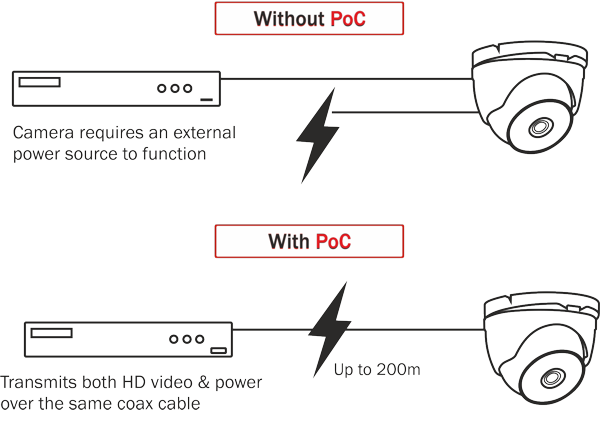
    This makes installing the cameras a lot simpler which is great news for installers. Power over Coaxial (PoC) basically means that power for the camera is supplied by the DVR via coaxial video cable (RG59 or similar), this removes the requirement for separate cables and power supplies which would otherwise be needed to power your cameras. For installers this means a much more time and cost efficient installation.

    How does PoC work?

    https://youtube.com/watch?v=iUOwhTSOmK4%3Frel%3D0

    PoC can be used on cable runs up to 200 metres and is available in 4,8 and 16 channel DVRs (models ending /P), a full complement of TVI PoC cameras are also available (models ending E) which together offer a cost effective and time saving solution to your TVI installations.

    PLEASE NOTE: All PoC cameras can also work on non PoC recorders