New solution gives businesses a fast track to effective access control and attendance management
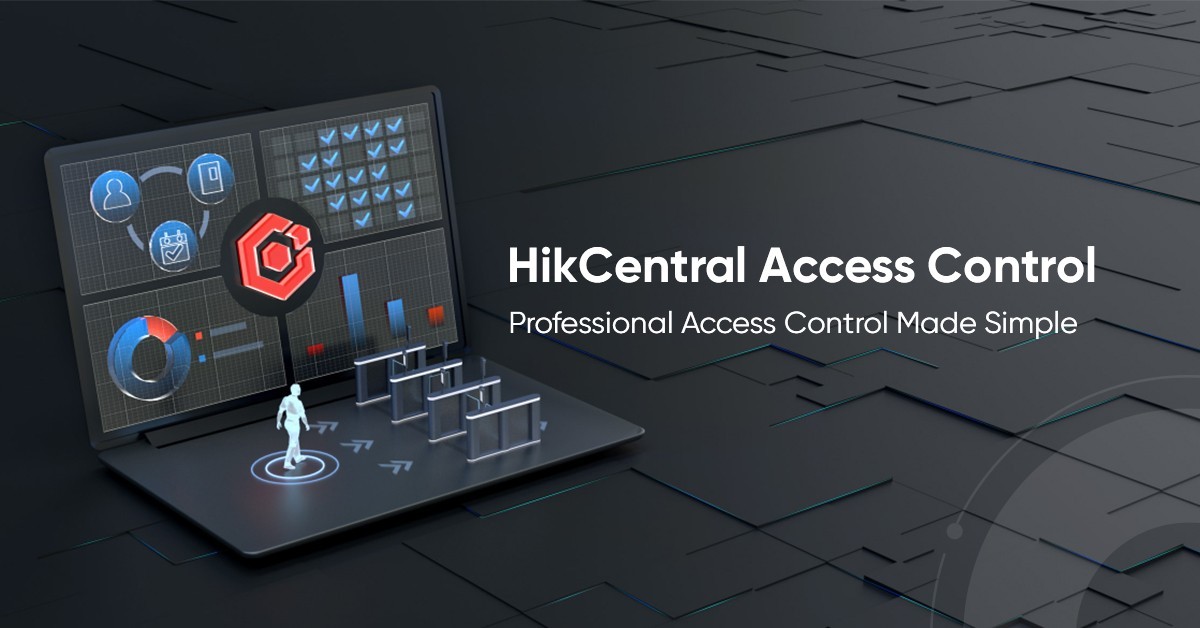
October 27, 2021 – Hikvision has announced the launch of its HikCentral Access Control software as a new offering of its signature HikCentral family. Inheriting the complete access control and attendance capabilities from the existing HikCentral Professional, the new software is designed and dedicated for professional access control and time attendance management in an easier and more efficient way. This simplifies security and operations for small and medium businesses, who can integrate the system with their Hikvision access control and intercom products quickly and easily.
With HikCentral Access Control, business customers can experience a wide range of benefits:
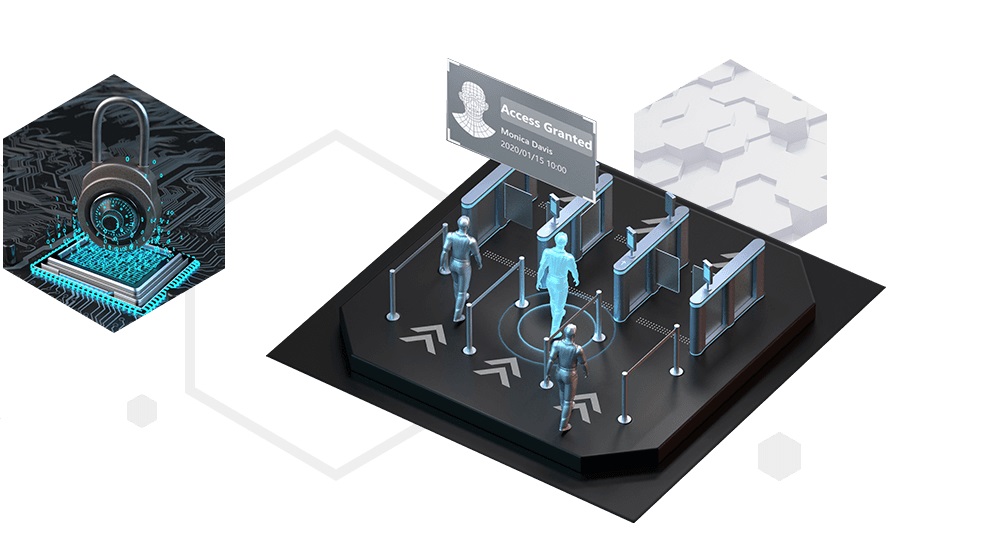
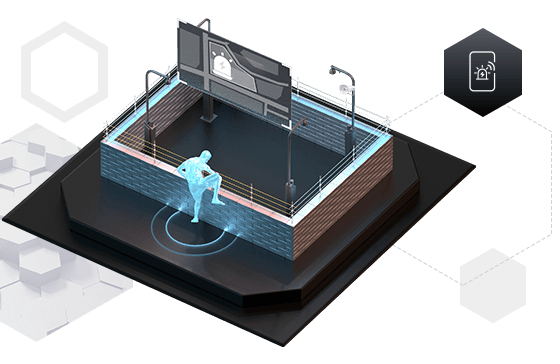
• Maximized security with advanced access control features and real-time alarms The HikCentral Access Control software supports a wide range of employee ID credentials, including fingerprints, cards, facial recognition, QR codes and PIN codes, to ensure flexibility and security for employee access authentication. What’s more, it also includes advanced access security features such as multi-door interlocking, anti-passback, and multi-factor authentication, providing high levels of protection for sensitive areas. Alarms are also triggered in real time when rules are breached, accelerating responses, and minimizing potential losses, damage, and other negative impacts.
• Minimized deployment complexity and costs for Access Control and Time Attendance Management The new software requires limited hardware processing power. Customers with minimum hardware requirements of i3-CPU and 4 GB RAM can get the software up and running in minutes.
• Simplified setup process and management at ease With HikCentral software, customers can set rules for access permissions and work shifts quickly and easily. Instructions for doing this are available on the sidebar menu in the portal interface, reducing skills requirements and speeding up the process. When in use, operators can manage the software remotely with a mobile app at any time, from anywhere.
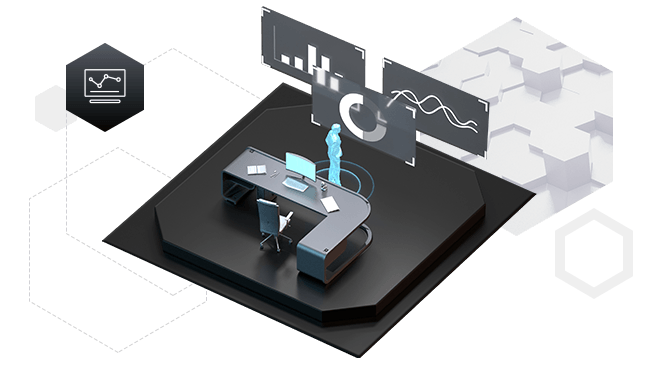
• Optimized HR reporting for data-driven decision making The HikCentral software provides detailed attendance reports to support better HR management. These can be exported easily into Excel, CSV or PDF formats, or integrated with third-party payroll systems to streamline HR administration.
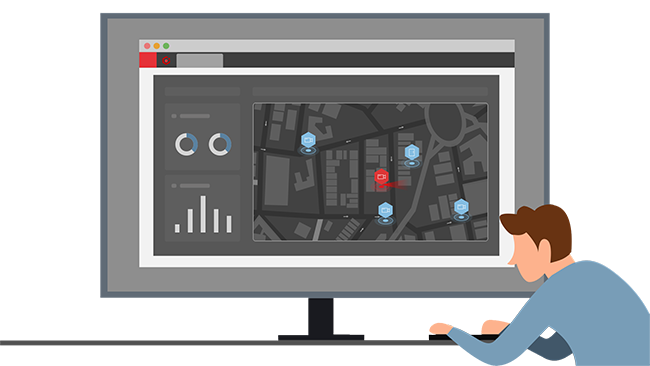
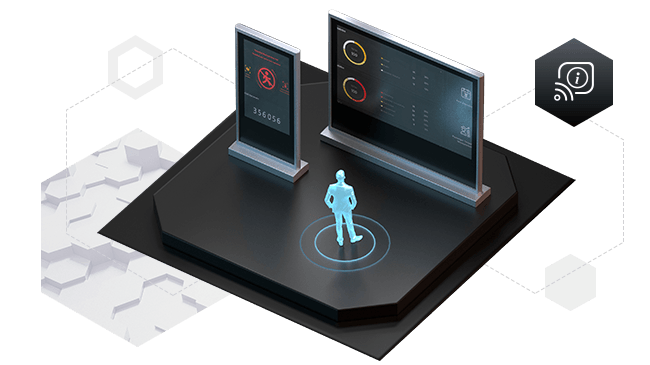
• Intuitive user interface The software offers a dynamic view of multiple sites of a building and access control device status based on an interactive E-Map. This allows effective responses to event alarms and device anomalies in a timely manner.
The new HikCentral Access Control is provided free of charge to Hikvision customers with up to 4 access doors, and up to 50 employees for clocking in and out. It can also be scaled quickly and flexibly for larger sites and workforces. Where necessary, it can also be upgraded to HikCentral Professional – a more sophisticated and versatile software platform – designed for centralized management of a variety of security and business applications, including video security, access control, alarm systems and more, for end-to-end protection of people and assets, and greater operational efficiency.
Hikvision’s industry-leading ColorVu technology captures high-quality, full-color video 24/7 so your security staff can protect people and property at night with the same sharp rendering as in daylight.
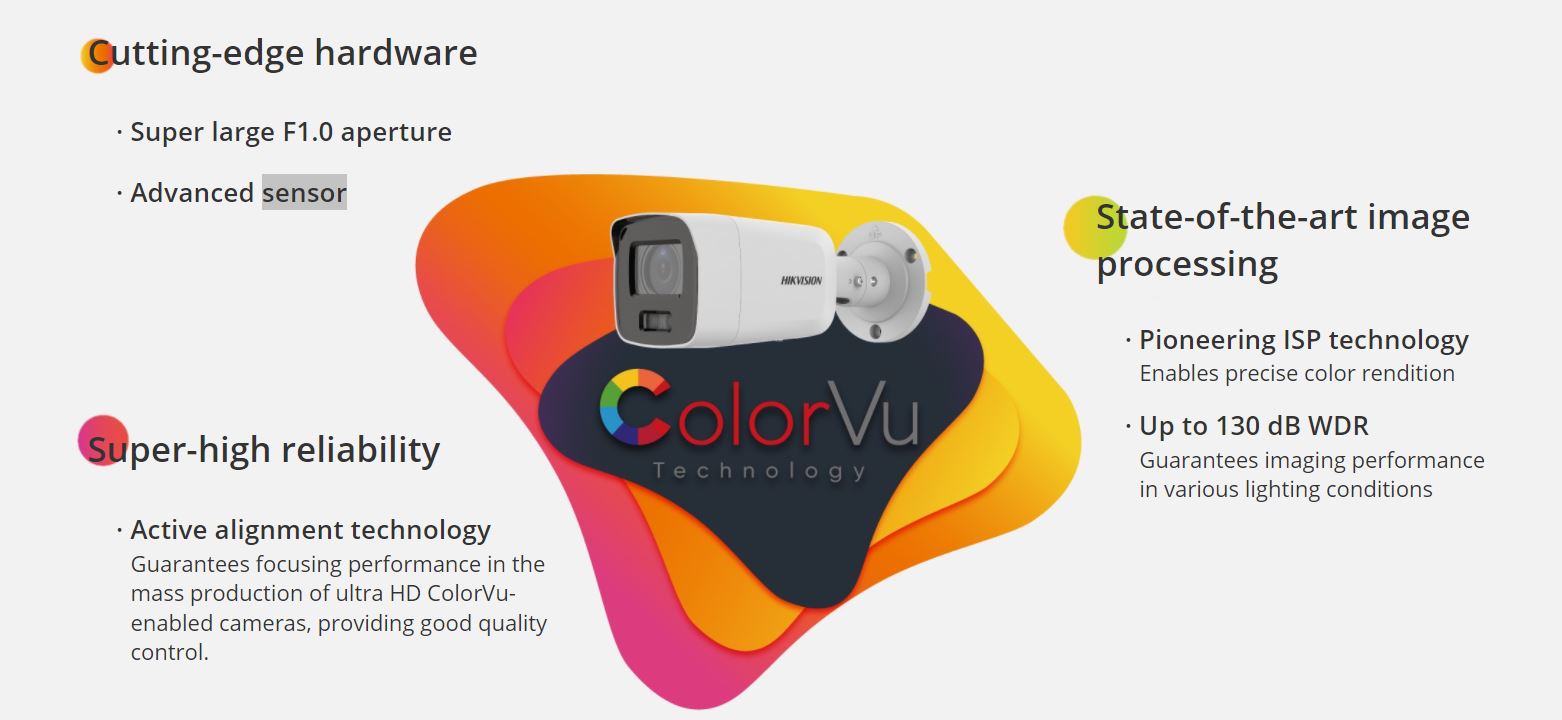
ColorVu technology’s powerful ability to capture details in low lighting emerges from three specific breakthroughs:
Cutting-edge hardware
State-of-the-art image processing
Super-high reliability
Why choose Hikvision?
Resolution up to 4K
ColorVu-enabled cameras render vivid color images in dim light, even down to 0.0005 lux – that’s the same lighting as a moonless, starlit night. This incredible capability to intensify minimal ambient light is achieved through two advanced features:
F1.0 Super Aperture – Capturing as much light as possible for the sensor 1/1.2” Large Sensor – Maximizing the use of available light
Zoom in vivid color
Varifocal cameras can adapt to more scenarios by changing the camera’s focal length, making inventory management easier. Hikvision’s Varifocal Cameras with ColorVu are designed with fixed F1.0 large aperture. While your camera zooms in or out, the image brightness will be guaranteed.
Intelligence meets ColorVu
Combining ColorVu technology with AcuSense, these cameras capture human & vehicle targets with vivid color. Connected to Hikvision’s back-end products, users will enjoy detailed video playback and efficient footage searches.
Models equipped with Live Guard deter trespassers with visual and auditory warnings on-site while sending notifications to users remotely. They immediately react to intrusions during events to prevent loss and provide recorded, post-event evidence. Moreover, the audio alarms can be customized in various languages for various scenarios.
Nighttime performance comparison
ColorVu camera vs. Conventional camera
Please also watch this brief comparison video for a first-hand experience of the ColorVu camera’s round-the-clock performance.
Thank you for your long-term support to Hikvision. Hikvision plans to discontinue the iVMS-4500 software and HiDDNS service from February 15, 2022. We sincerely apologize for the inconvenience caused to you.
The impact of the service discontinuation: the www.hiddns.com website will be closed. The HiDDNS domain service cannot be used. The iVMS-4500 installed on the mobile phone can continue to be used but cannot be upgraded.
As alternative solutions, Hikvision has launched Hik-Connect App in 2016 and Hik-ProConnect platform in 2020. We will continue to upgrade these products according to user needs and feedback.
If you are an end-user who is using iVMS-4500 App and HiDDNS services, you can add the device to Hik-Connect for further use. Click here to view the introduction of Hik-Connect. Click here to see how to add devices to Hik-Connect. Access the following link to download Hik-Connect App: https://appstore.hikvision.com. You can also scan the following QR code to download.
If you are an installer who is using iVMS-4500 App and HiDDNS services, you can add devices to Hik-ProConnect portal and App to provide remote operation, maintenance and management services for your customers. Click here to view the introduction of Hik-ProConnect. Click here to see how to add devices to Hik-ProConnect. Visit Hik-ProConnect Portal: www.hik-proconnect.com. Download Hik-ProConnect App: https://appstore.hikvision.com. You can also scan the following QR code to download.
HikCentral Professional is Hikvision’s security management software for integrating and managing security systems. It’s designed to meet a variety of security challenges on a single platform.
With HikCentral Professional, you will manage multiple individual systems with ease, such as video security, access control, security alarms, and more, as well as explore cross-system functionalities. Daily operations become more efficient while protection of people and property improve all around. Users of all kinds are making smarter decisions.
Key advantages
A unified security system that enhances management operations
A unified security system that enhances management operations
Built over a truly unified architecture, the software provides connected and interactive applications to enhance your operational efficiency – for example, an intrusion alarm and access control with video verification, or perhaps visitor control with pre-registration of vehicles, and much more. By tapping into multiple sub-systems, it extends users’ awareness and empowers them with optimized management approaches.
Personalize your own security system
Whatever your role, be it manager, decision maker, HR staff, receptionist, security, or maintenance staff, the software will help you get prepared with pre-set modes. What’s more, the software also allows you to customize your own system with the applications you need based on the scenarios you are in. Moreover, users can create their own control panel based on their specific duties and routines, enhancing awareness and empowering them with custom, optimized management approaches.
Visualized systems, data, and maintenance
Data collected from various applications becomes easy to understand via dynamic reports and helpful, intuitive dashboards A personalized management and operations dashboard displays the information you need most. Also, an interactive and intuitive e-map enables you to locate and handle incidents quickly
Easy to deploy and use
Minimum system requirements for HikCentral Professional: i3, 8 GB RAM Smooth system operation even in low bandwidth environments powered by network adaptation technology Operation guidance wizard Easily integrates and empowers other Hikvision devices
Major applications
Video
Efficient and comprehensive video surveillance, enabling users to customize their own view to get an all-encompassing perception of all videos, maps and data. What’s more, each video feed can be opened in a few seconds for quick preview and playback Quick incident search and location using thumbnails, convenient event search based on tags and VCA search analysis, and quick run-through of video based on event types Video export as evidence with several clips merged into one video file for reviewing, filing, and downloading in various formats including exe., avi., mp4, and more Low bandwidth network adaptability, automatically adjusting bitrate and resolution between clients and NVRs or IP cameras according to real-time network conditions Reliable and flexible storage, automated video backup during idle periods and channel-based video and image storage, satisfying diverse needs with multiple storage media and high availability
Access control
Comprehensive and flexible access management methods, with 5 credentials including fingerprint, face recognition, card, QR code, and PIN code, and 512 access levels to choose from Advanced access strategies for sensitive areas, including multi-door interlocking, first person in, anti-passback, multi-factor authentication, free, and forbidden access Convenient employee badge design and printing with necessary information and access permission, offering several unique styles and layouts to choose from Clear step-by-step guidance for easy credential assignment Remote personnel registration by scanning the QR code, facilitating convenient management of employees and other personnel Automatically open or close doors when the access control system triggers IP cameras to start recording, enabling security staff to check real-time videos and reduce on-site visits Keep doors open in emergencies when the alarm system triggers roll calls of stranded personnel, contributing to safety of personnel
Visitor
Digitalized visitor management reduces paperwork and costs Visitor registration in advance so they can pass through accessible areas as soon as they arrive Pre-defined access permission and traceable records help manage visitors securely Offering visitors a better experience with ANPR vehicle number plate recognition, fast access using ID card or face recognition, and self-service checkout at designated places
Vehicle
Flexible and efficient entrance & exit management with customizable release rules for vehicles and integration with Automatic Number Plate Recognition (ANPR) cameras. Improved parking experience for drivers with the parking guidance screen display the number of vacant parking spaces and the parking camera indicates the exact locations of vacant parking spaces, helping drivers quickly find vacant spaces for parking. Flexible billing for the varying needs of parking lots, for example, charging yearly, monthly or other scheduled time periods, or setting up unique billing rules for different types of drivers. Intuitive and efficient parking operation analysis and transaction analysis reports, helping management staff analyze operations as well as income and expenses.
Alarm detection
Centrally manage various alarm sources, such as video, access control, alarm panels, and third-party alarm inputs Real-time display of all kinds of alarms with automatic display of linked videos and locations Flexible linkage can be configured with access control devices, cameras, and more Automatic audio alarms to deter intruders while linking with IP speakers
Intelligent analysis
The video-based intelligent analysis dashboard enables flexible and extensible digital applications Smart commercial analyses – like flow, attribute, wait-time, and visitor trend analyses – facilitate smarter decision making
Digital signage
Manage and configure content for digital signage in an intuitive manner Eight types of pre-installed program templates are ready for use, saving users time and money All programs are created visually, making advertisement creation, flow control, attendance, and other functions easier and more efficient
Time & attendance
Flexible attendance rule-setting for normal, man-hour, multiple, or temporary shifts based on specific scenarios Diversified attendance reports with 16 of the most common types to choose from. Users can also create personalized report templates based on their needs. Reports can be exported in Excel, PDF, and CSV formats, among others Easy integration with third-party payroll systems via database, local files, or SFTP, and supports user-defined fields
Maintenance
Visualized network and device topology and alarm notifications allow quick targeting of abnormal events Logs are available for event trackback and evidence
Integration & Partnership
HikCentral Professional OpenAPI OpenAPI, an API server that comes with the HikCentral Professional platform, is designed with both ease of use and advanced security in mind. It is sure to help users build an integrated solution with Hikvision hardware easily and securely.
Integration Types OpenAPI supports the integration of a variety of solutions, such as Access Control Software, Time & Attendance Systems, ANPR, PSIM, and more.
Joint-Value Solutions Technology partners from around the world are launching their industry-proven solutions based on the HikCentral Professional OpenAPI.
At Ajax, we value an integrated approach to security. Therefore, we have added the possibility of connecting cameras and video recorders to Ajax security systems for you to be able to monitor the situation at the protected premises at any moment in time.
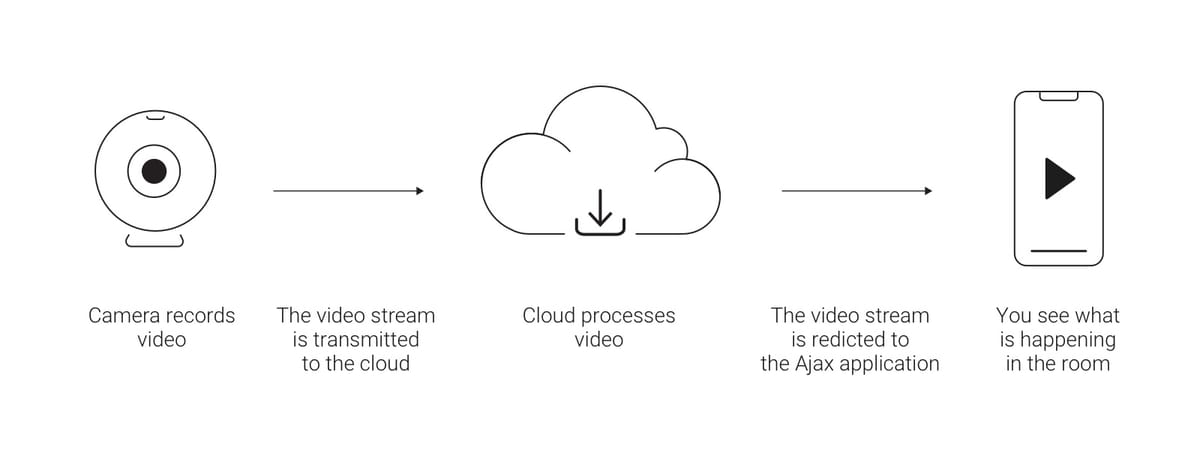
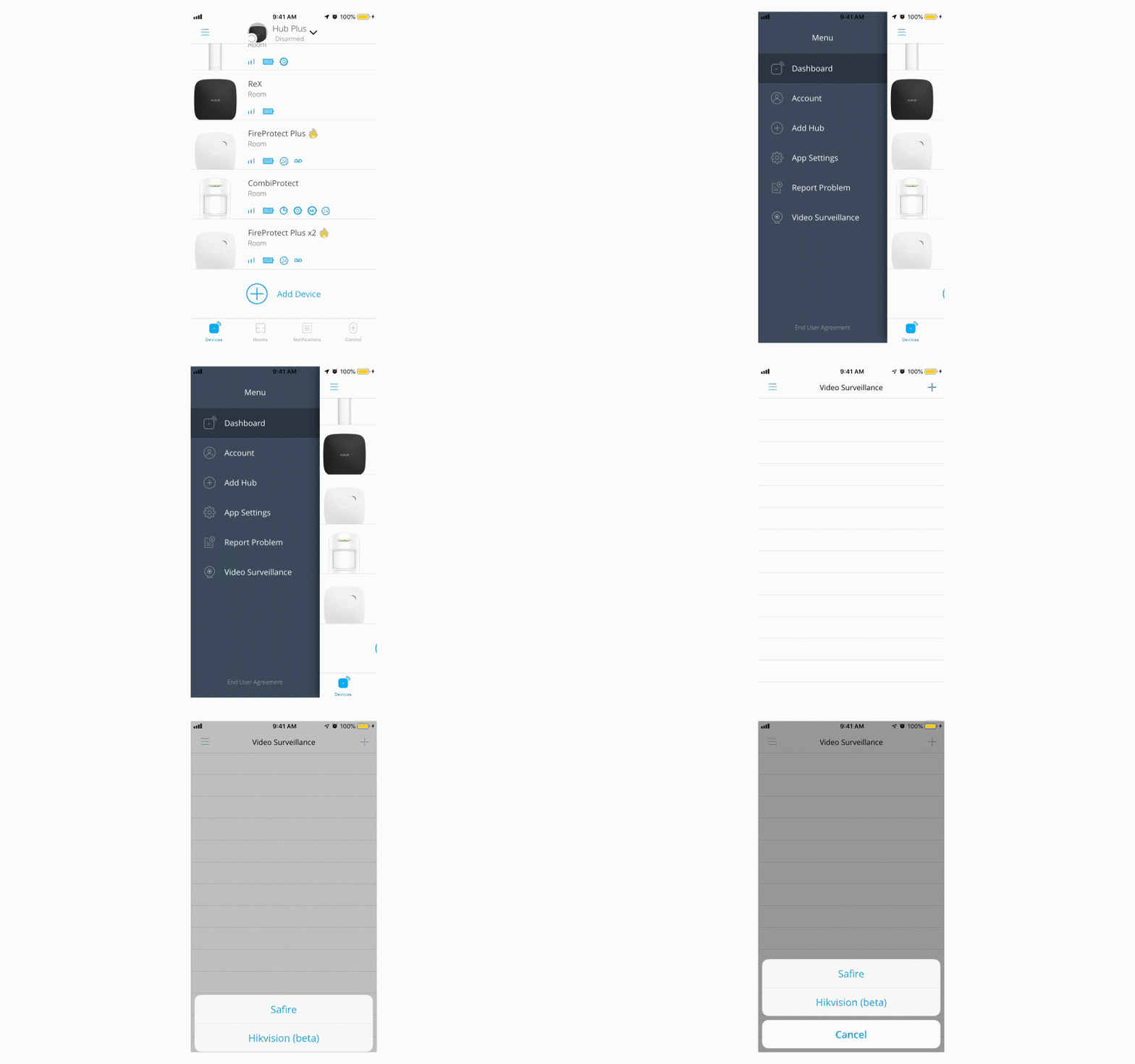
Today, we launch integration with the video surveillance equipment Hikvision and Safire. Now, you can add IP cameras and video recorders of these brands in the Ajax app with a few taps. In a couple of minutes, you can obtain a comprehensive video surveillance system that will help you protect your home and property.
The advantages of an Ajax-based video surveillance system
1. Control over the security system and video cameras from a single app
2. Check the situation in the case of an alarm instantaneously
3. Quick access to the selected cameras, video recorders or video streams
4. Save photo evidence of the incident in your smartphone’s memory
Maximum capabilities for video surveillance
You can connect up to 10 cameras and video recorders to Ajax with Hub and up to 50 devices with Hub Plus. Meanwhile, we do not limit the number of streams from video recorders with multiple connected cameras. They will all appear in the Add Cameras section even if their number exceeds the limits.
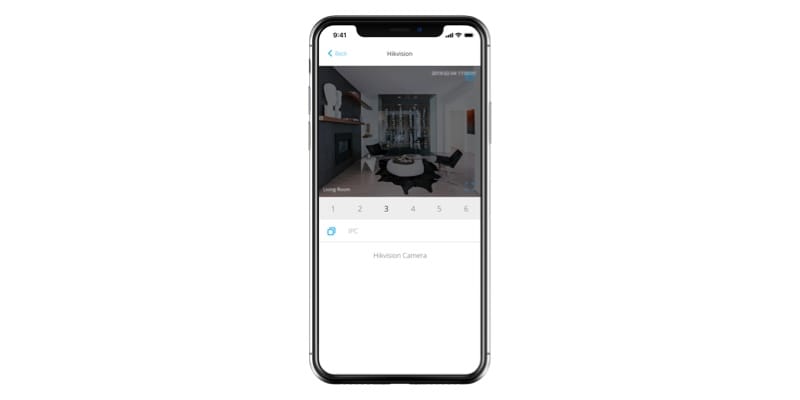
In the Ajax apps, you can view video of cameras, pause playback, and save snapshots from camera streams in your phone’s memory.
Full privacy mode
All your personal information is secure when you use the Ajax app. Passwords to access the Hikvision cloud video service and video streams are encrypted and are not stored by Ajax. Hence, only you and people you have given access to the cameras can view and playback videos.
If you need to save a video stream, we recommend that you use official Hikvision apps and services. Be sure to check the features of the cloud video service as some functions may only be available for an additional charge.
Where to start
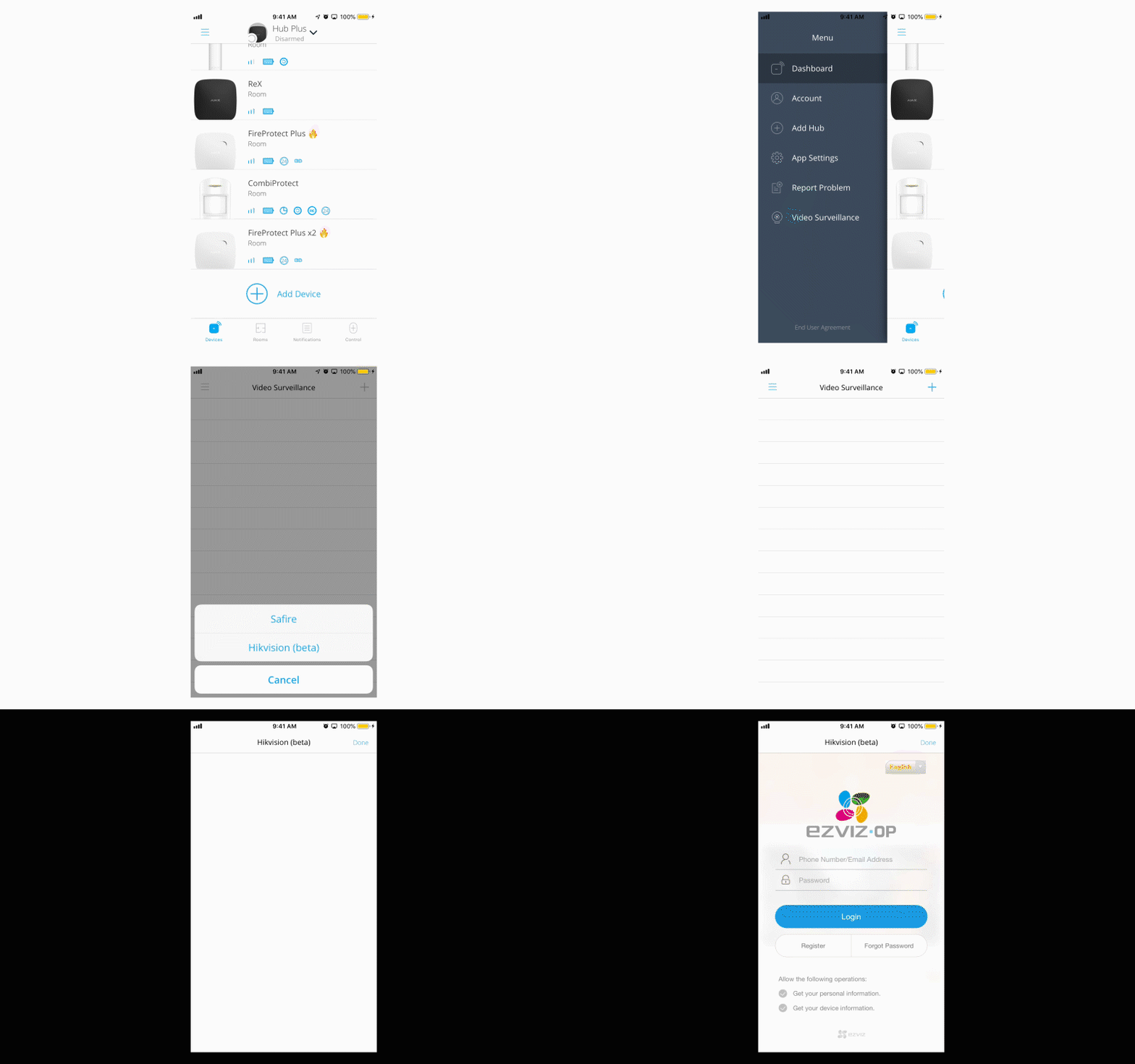
You will need an account in the Hikvision cloud service with cameras and video recorders added and configured in advance. Log in using the Ajax app (Menu > Video surveillance > Hikvision or Safire).
If you do not have an account, you can also create and set it up via the Ajax app. Cameras are configured and calibrated using the Hikvision software.
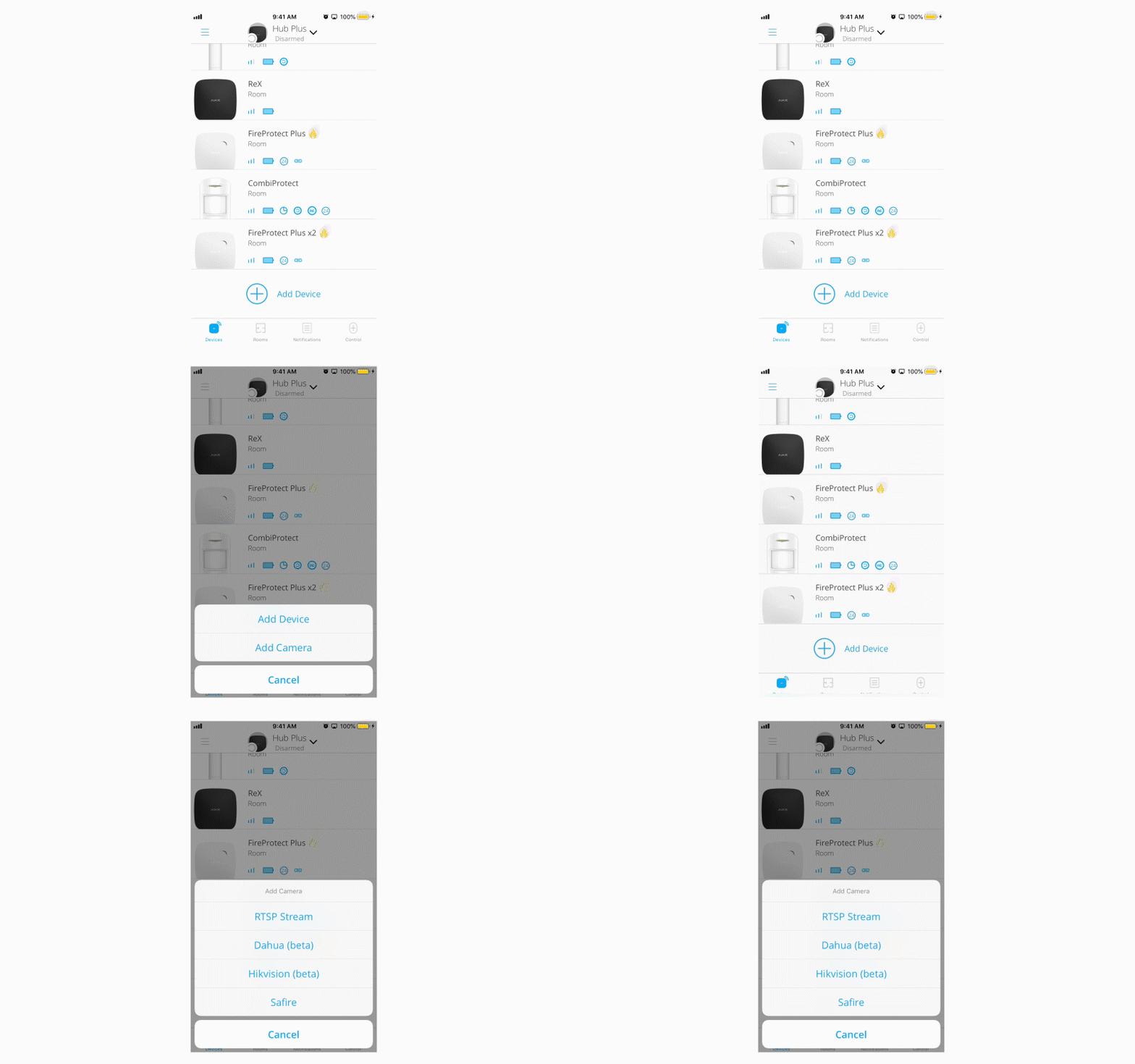
After an account is added, the app will pick up the available video streams from the cloud. In order to link a camera to the hub, go to Devices > Add camera > Hikvision or Safire.
This tool is specially designed to help Hikvision partners quickly detect critical vulnerabilities in devices in advance, and search for and download easily the updated important firmware that fixes the problem.
Note: You can use this tool to find recent CVE-2021-36260 vulnerabilities, as well as search for and download corresponding firmware updates.
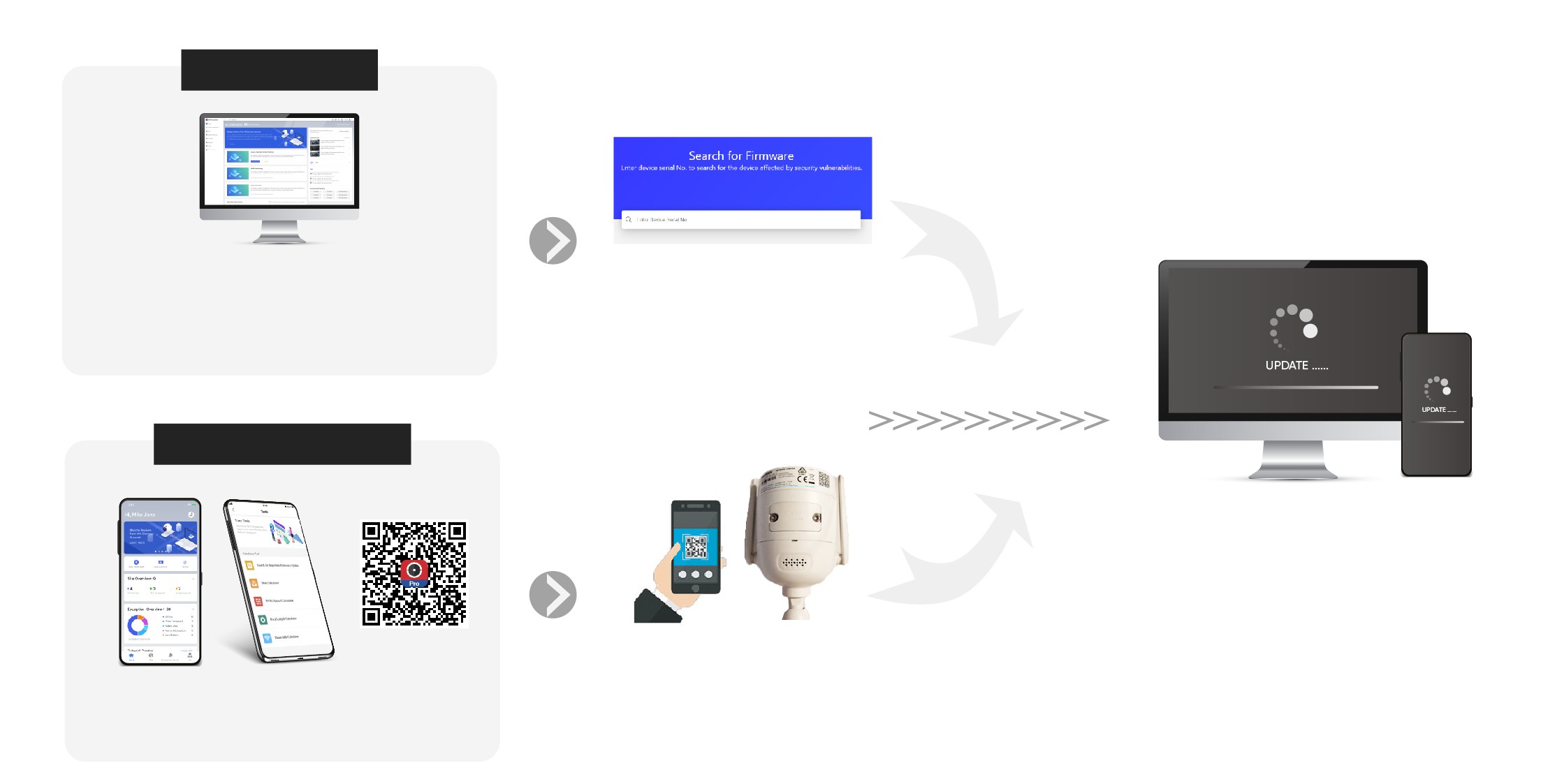
How can I update firmware with the search tool?
You can find and use this tool easily via Hik-ProConnect portal or the mobile app.
Via Portal
Visit Hik-ProConnect Portal https://www.hik-proconnect.com/ Locate it via the path: Log in → Tools → Search Tool for Important Firmware Update
Detect devices on the same LAN with your PC to find any recently added updates or information.
If a vulnerability is detected…
Update/upgrade the affected device with the corresponding firmware via the downloads page.
Via Mobile App
Locate it via the path: Log in → Me → Tools → Search Tool for Important Firmware Update
Scan the bar or QR code on a single device or a device multi-pack to initiate a search for updates.
Update/upgrade the affected device with the corresponding firmware via the downloads page.
Note: Your device firmware is affected by this security vulnerability (CVE-2021-36260) if its version dated earlier than 210628. Please install the updates immediately. You can also input the serial number on your device to search for firmware updates.
December 28, 2021 – Hikvision, an IoT solution provider with video as its core competency, announced a new technology partnership with Irida Labs, a vision AI solution provider from Europe, to integrate its IP cameras and HikCentral software with Irida Labs’ PerCV.ai Industry 4.0 Package. The integration provides intelligent vision AI solutions for manufacturing and logistics sectors to manage warehouse and plant in real time.
Utilizing the Hikvision Intelligent Security API (ISAPI) protocol and Embedded Open Platform Program (HEOP), the integration allows the PerCV.ai algorithm to run inside Hikvision DeepInView camera series for edge processing. Operators can easily monitor manufacturing and logistics processes using PerCV.ai Industry 4.0 Package user interface.
The combination of video, AI, and edge computing empowers real-time pallet and parcel monitoring, product inspection, forklift and truck monitoring, personal protective equipment (PPE) detection, and critical equipment interaction monitoring. The real-time AI-powered analytics also enables actionable business and process insights.
“We are excited to join the Hikvision Technology Partnership Program (TPP). Now, our AI vision software PerCV.ai supports Hikvision DeepinView cameras and HikCentral software through this program,” says Vassilis Tsagaris, CEO at Irida Labs. “We would like to thank Hikvision for working closely and supporting our team during the last few months, making this integration truly added-value for our customers.”
“The combination of the AI-enabling camera platform and the intelligent algorithm of PerCV.ai really makes a strong and flexible package for the users. With solutions like this, staff safety and warehouse processes are taken to a new level,” added Adler Wu, Global Technology Partner Alliance Manager at Hikvision.
Find Out More
For more details about the integration of the intelligent manufacturing and logistics solutions between Hikvision and Irida Labs, please visit this link.
About Irida Labs
Irida Labs is powering vision-based AIoT sensors and solutions by bringing Vision AI at the Edge. PerCV.ai, our AIoT-optimized embedded AI vision software, uses computer vision and deep learning, transforming boundary boxes into real world vision applications and helping companies around the world develop scalable vision-based solutions. Leveraging more than 10 years of expertise in AI, embedded computer vision HW and SW, vision system design and optics, Irida Labs uses state-of-the-art USPTO patented technology in embedded vision and ML to provide support throughout the Vision-AI product lifecycle.
Small- and medium-sized businesses (SMBs) may not be as large as companies in the enterprise market, but they are equally important in contributing revenue to the economy. According to World Bank, formal SMBs contribute up to 40% of national income (GDP) in emerging economies. They represent about 90% of businesses and more than 50% of employment worldwide.1
SMBs grapple with tight budgets, fewer administrative resources, and lack of in-house IT talent, particularly in the face of the unique challenges brought on by COVID-19. However, in truth, with the technology being matured and more products available in the marketplace resulting in cost reductions, the security goals of SMBs are evolving and getting more advanced.
Gaining a proactive approach with AI
Security installers around the world have been asked for optimal solutions that can help SMBs balance budget and security needs. With a lack of administrative resources, it is less likely for SMB customers to have dedicated security personnel to look after daily security operation and management. Sometimes when a security breach occurs and loss suffered, there could be a gap in security for a considerable amount of time until they have noticed it.
Today, technology has taken video intelligence to the next level with increased accuracy and performance, thanks to AI development and Deep Learning algorithms. There are many industries and markets where AI already is making an impact in significant ways, including SMBs who used to be faced with thousands of recorded videos finding evidence of an event. Now, they can enjoy real-time and accurate alerts with fewer distractions. They also gain a proactive approach by identifying potential hazards before they happen. And all this at only a small incremental cost to their business.
One example is use of Hikvision’s security devices with AcuSense technology powered by AI. AcuSense works to distinguish between human, vehicle and other objects using its smart algorithms. This means it can filter out security alerts associated with human (and/or vehicle) only triggered those for further attention and action. This greatly helps SMB customers save on the overall labor cost that could otherwise be used for business improvement.
Seeing with clarity and color
Video systems have embraced the evolution of resolution for some time – from 480 pixels, 720 pixels, to 1080 pixels and now 4K. People want to see more and see more detail when they are needed. For SMB customers, this is not an area they would risk compromising in a security system. Why? Imagine if they found a video clip containing key evidence of an event, but the video images were grainy and unclear. This would make it difficult to see a face, or to distinguish the color of clothing or of an automobile. All efforts would be in vain.
Research shows that color is important to aid clarity, improving object recognition2. It also shows us that in the CCTV world, there is a ‘strong correlation’ between camera performance and color fidelity3. The ability to see detail and color in the dark is one of the most important aspects of a security camera and there are many technical factors that influence this ability. For example, the sensitivity of the image sensor, the lens aperture, and applied image processing.
Today’s new technologies have empowered modern video cameras to see better in any light and in high resolution. Hikvision’s security cameras with its signature ColorVu technology are a great example of this. They guarantee video with colorful details even in extremely dark scenarios. A next-generation series of the cameras goes even further, using 4K Ultra high definition (UHD) to deliver crisp images that provide richer detail.
Checking in remotely and respond promptly
The enhanced ease of connectivity and scalable bandwidth made possible by Cloud technology is stimulating more companies, including SMBs, to connect a lot more video security cameras to their networks.
Having all the security systems and data tucked away in an IT closet is no longer in the best interests of many SMBs. Push notifications, remote viewing of video, and cloud services are now mainstream for SMB customers and their security solutions must support these capabilities.
Among others, Hikvision’s Hik-Connect app offers seamless connection with all its security devices, allowing SMB customers to view real-time videos, playback, and receive event notifications remotely wherever they are. This means they can monitor remotely, or even open a door with audio communication for example. This really saves SMB customers some time as they go about their busy day.
Looking to the future
Beyond security and monitoring use cases, SMB companies are taking advantage of a raft of new technologies like AI, cloud service, technological convergence to undertake a range of tasks. Whether it is by utilizing a proactive security approach to look after their people and assets, or by upgrading their standard security system to high definition to look clearer and act precisely. Or expanding the system with audio, intercom and access control to automate processes. Or keeping a watchful eye on their day-to-day business operations remotely.
All in all, they are quick to seize on the possibilities offered by today’s next-generation video systems to maximize return on investment (ROI) with the lowest cost of ownership. With international organizations such as the World Bank lending more services and improving their access to finance, SMBs will continue to grow and embrace more possibilities.