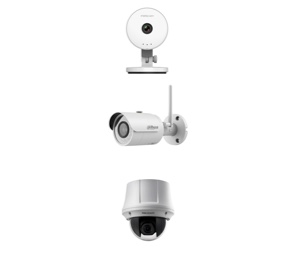
With a premium range of products and a reputation for excellent customer service, it’s clear to see what makes Ertech Ltd stand head and shoulders above the rest. We find out more about the company from CEO, Eric Harrison.
Ertech Ltd is a leader in IP video surveillance, IP security systems and solutions. The firm offers a wide range of products such as CCTV alarms, access control and POE Switches to clients that include installers, system integrators, project managers and architects.
Having been in the surveillance industry for more than 10 years, and at the forefront of the changing face of technology, Ertech’s experience has enabled it to not only become a market leader but also to earn a positive reputation within the industry.
“We were among a very select few distributors supplying IP cameras to the European markets back in 2010,” explains Founder and Chief Executive Officer Eric Harrison. “Since then, many companies have come and gone but we remain strong and growing each day.”
Eric tells us more about the company and what it is that sets it aside from competitors.
“It’s our extensive knowledge of technology,” he begins. “As well as our stock levels, the launch of new products and technologies, and good old fashioned tech support with excellent delivery times.”
“Being based in London is also of huge benefit to us and we serve a large area, including the main surrounding cities and suburbs.”
The internal culture at Ertech is very simple and revolves around healthy minds equaling healthy sales.
“Our staff’s mental health is our top priority,” Eric elaborates. “We endeavour to provide a cool, easy going and, most importantly, comical working environment where we encourage laughter. Laughter is the most important element of happiness and happiness at work turns into more happy sales and more happy customers.”
As the UK is moving more and more into SMART IP technology for security, AI Cameras and alarms are having a big impact in the future of the industry.
“Facial recognition has advanced and, during the Covid-19 pandemic, we noticed our industry adapted quickly by producing thermal imaging cameras that scanned people’s temperatures when entering vital infrastructure sites,” explains Eric.
These types of camera work by detecting a body’s temperature and warn the user and back office of abnormal human body temperatures.
“As such, our industry provided a number of different Covid-19 solutions for the world, such as social distance enforcement, crowd control and traffic light systems for people in shops, supermarkets and shopping centres.”
Regarding the future, Eric and the team at Ertech foresee further growth as the pandemic subsides and a new normal ensues.
“We could have not achieved and sustained the current success we have experienced if it wasn’t for our customers. We look to take a bigger slice of the industry by continuing to lead in technology and quality of service.”
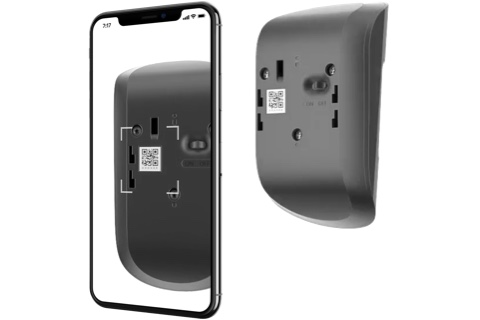
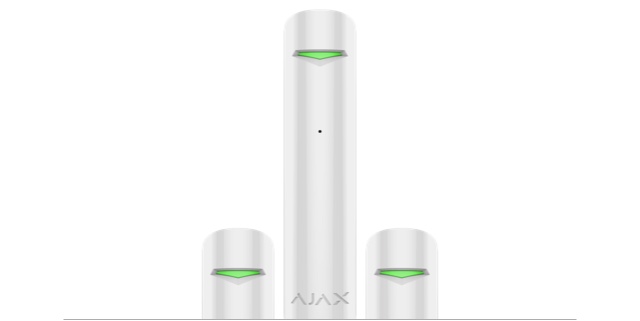
Ajax can be easily expanded with entry, fire and flood detectors, as well as relays for managing electrical appliances remotely. You can purchase and add additional devices to the system individually. Detectors can be connected with a few taps in the mobile app.
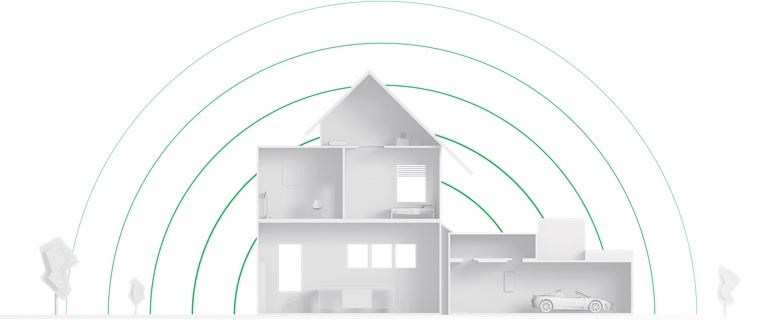
Do Ajax devices really work that far away from the hub?
We’ve tested the maximum distance between the hub and detectors in open space, and it really does reach 2,000 meters. Your experience may vary, since walls, ceilings and other barriers will shorten that distance. If you’re unsure, you can do a radio test using the Ajax Security Systems app to determine the signal strength before you install detectors.
How often do device batteries need to be changed?
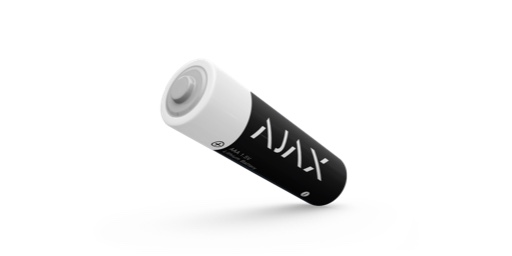
Ajax devices are powered by batteries, not from the network, which is how wired systems work. With that in mind, we developed a special energy-efficient radio protocol that keeps them protecting your home or office for as long as possible— up to 7 years.
How will I know if a device battery is dying?
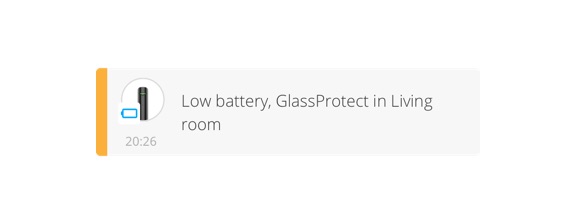
Once the battery reaches a critical level, Ajax will send you a notification. If you’re curious, you can always double check battery levels at any time in the device settings.
How do I monitor the Ajax security system?
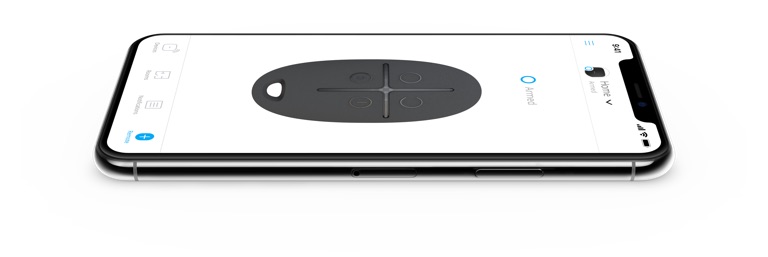
The easiest way to monitor is to use the Ajax Security System application for iOS and Android. The app will let you arm/disarm the system and keep tabs on your devices (including information on signal status, battery level and temperature). The system can also be controlled with Ajax SpaceControl and/or KeyPad.
Will my cat or robot vacuum set off an alarm?
Ajax devices use a digital algorithm to detect human movement. As long as your pets are smaller than 50 centimeters (19.5 inches) and 20 kilograms (44 lbs), they shouldn’t set off your Ajax detectors.
Can I add and remove system users?
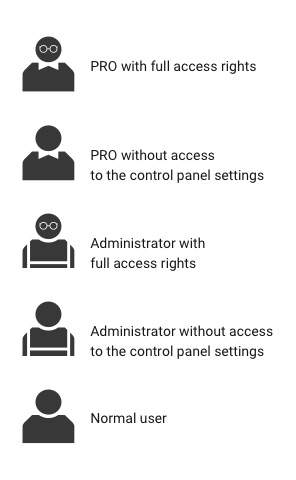
Yes, if you are an administrator with full access to the system settings. You can add up to 50 users to the Ajax hub. They can be family members, friends, neighbors, colleagues or even a security company.
Does Ajax support video surveillance?
Third-party cameras can be connected to the security system using Ajax apps. You can choose nearly any camera that supports RTSP or seamlessly integrate Dahua, Hikvision, Safire IP cameras and DVRs.
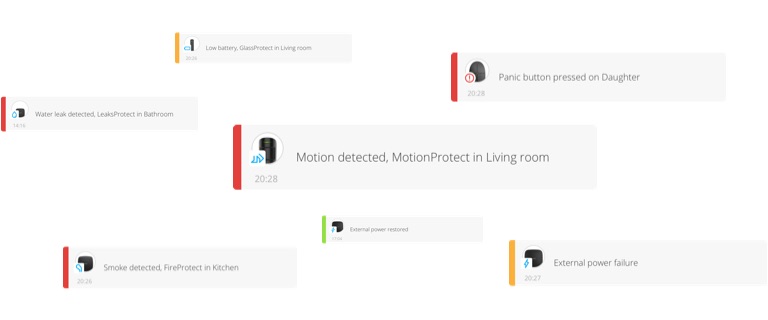
Ajax sends alerts using push notifications, SMS messages or calls to the system owner. You can choose your notification preferences in the mobile app.
How does Ajax sent alerts so quickly?
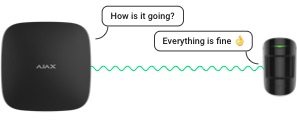
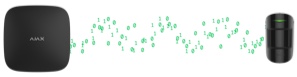
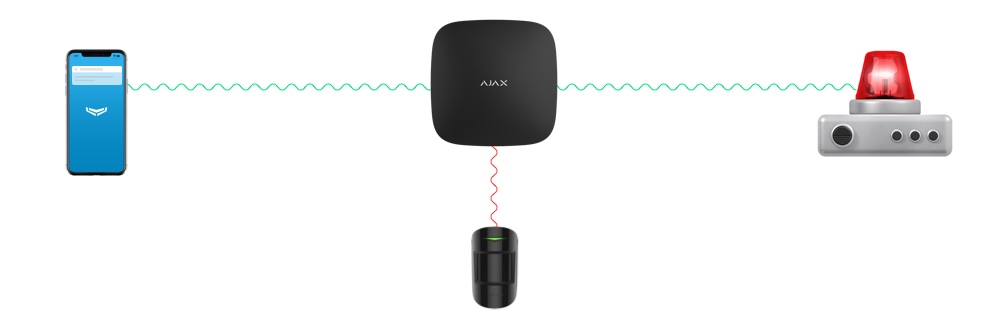
The hub constantly monitors the detectors, and they regularly report back to the hub. If a detector is triggered, it immediately transmits that information. The hub then sends an alert to the system owner’s smartphone and/or to a central monitoring station. All of this happens in just milliseconds.
Preventing sabotage
What happens if the internet goes out?
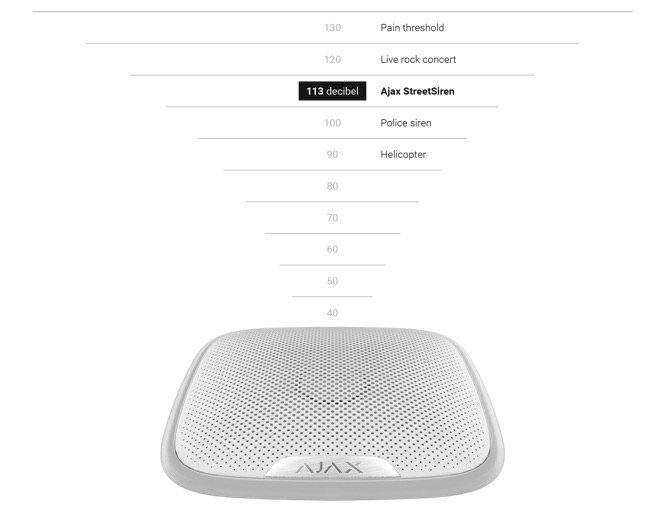
In offline mode, Ajax operates the same way other professional security systems do: detectors monitor the situation and send information to the hub. If there’s any danger, the system sirens will let you know.
If there’s a blackout, will I be left unprotected?
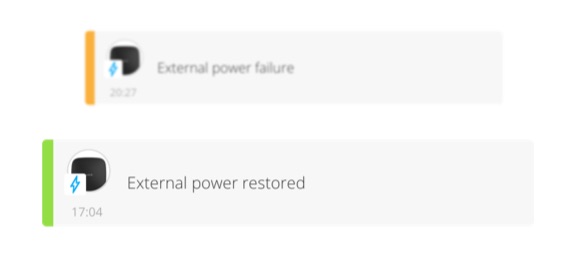
No. Ajax will continue guarding your home, even during blackouts. All of the detectors operate on battery power, and there’s a backup battery installed in the hub. It provides up to 16 hours of reliable operation. Once your home regains power, the hub will automatically recharge the backup battery.
Can Ajax be hacked?
Ajax has a closed ecosystem. We have eliminated breaches and failures by replacing standard algorithms and solutions with own inventions. We develop software by ourselves and we have created Jeweller radio communication technology featuring multi-level protection from scratch. The Hub OS Malevich real-time operating system is immune to viruses, and our own IoT protocol eliminates the feasibility of our equipment being used within botnet networks. To prevent effectively any future attacks, we regularly conduct penetration tests involving external auditors.
Can Ajax be jammed?
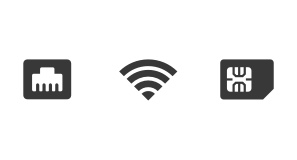
Unlike most wireless and wired security systems, Ajax uses dual communication channels to send alerts— cellular communication and broadband internet. When there’s a problem with one of the channels, Ajax automatically switches to the other. If an attacker jams the GSM signal, the system sends an alarm using Ethernet or Wi-Fi.
Can the radio signal between the hub and devices be jammed?
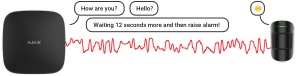
Not without being noticed. The hub controls all system detectors. The moment it fails to receive a signal from at least one of them, an alarm is sent to inform users about the communication loss. Additionally, the hub reports on high noise levels on the radio channel, which may point to deliberate jamming attempts or other powerful interference. For example, a neighbor’s faulty radio receiver.
Can Ajax radio signals be intercepted?
No. All device data is encrypted with a floating key algorithm before being sent. For additional protection, each device has a unique identifier that helps prevent forgery.
Do I need a professional installer to set up the system?
If you want, you can set the system up on your own— the mobile app has interactive instructions with prompts. On the other hand, a professional installer can set everything up optimally to ensure maximum protection. The choice is up to you.
Confidentiality
What information does Ajax collect and why?
Ajax only collects data that helps the system perform its functions and improve its capabilities. The data is fragmented, anonymized and encrypted across several servers in Europe. It enters the server via an encrypted channel and cannot be used without user permission. You can find out more in our privacy policy.
Ecology and Health
I heard that radio signals can negatively affect a person’s health, especially men. Is there any truth to that?
There are a lot of things that negatively affect a person’s health. Among these are a sedentary lifestyle, substance/alcohol abuse or a bad diet. Our equipment is none of those things. And, in addition to being people-friendly, our devices are eco-friendly. We even have the EU certificates to prove it.
Services
Who responds to an alarm if I’m not home?
In theory, you could give your neighbors system access. That way, they’ll also receive alerts and can check to make sure everything is okay. That said, we would recommend giving that responsibility to security professionals— Ajax works with central monitoring stations around the world.
Optional: Call SMS Push notifications
Security System
How much does Ajax cost to operate each month?
Ajax is free to operate when you use it yourself to self-monitor. You’ll only need to pay a monthly fee if you connect to a central monitoring station. The cost will depend on where you’re located, the size and type of premises and the number of requested services.
New solution gives businesses a fast track to effective access control and attendance management
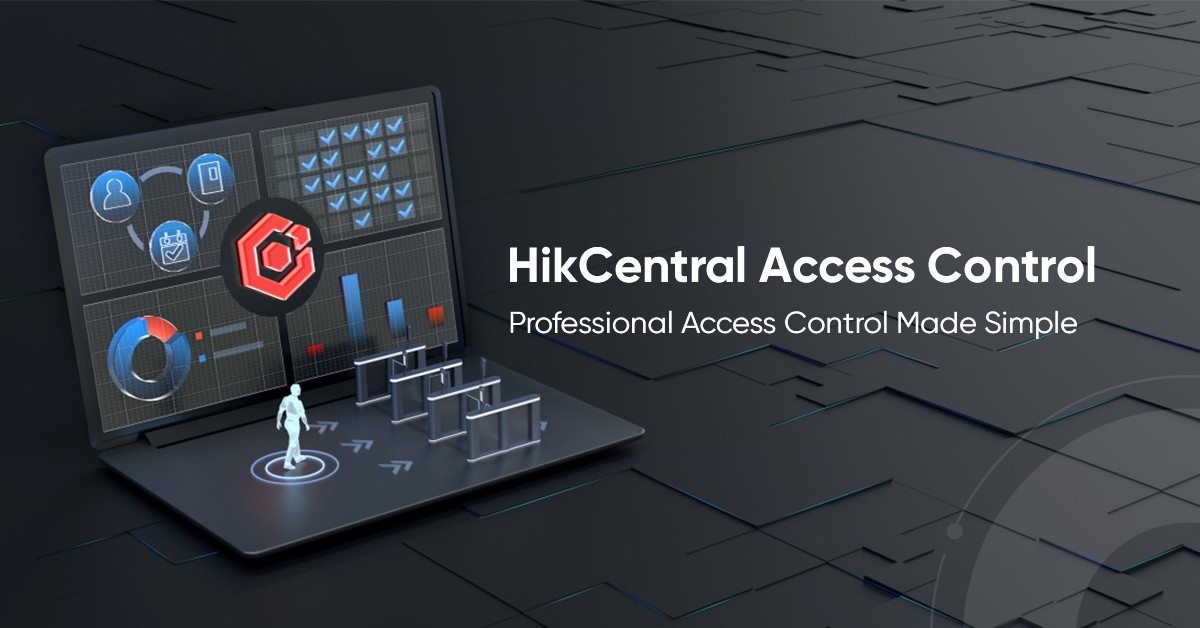
October 27, 2021 – Hikvision has announced the launch of its HikCentral Access Control software as a new offering of its signature HikCentral family. Inheriting the complete access control and attendance capabilities from the existing HikCentral Professional, the new software is designed and dedicated for professional access control and time attendance management in an easier and more efficient way. This simplifies security and operations for small and medium businesses, who can integrate the system with their Hikvision access control and intercom products quickly and easily.
With HikCentral Access Control, business customers can experience a wide range of benefits:
• Maximized security with advanced access control features and real-time alarms The HikCentral Access Control software supports a wide range of employee ID credentials, including fingerprints, cards, facial recognition, QR codes and PIN codes, to ensure flexibility and security for employee access authentication. What’s more, it also includes advanced access security features such as multi-door interlocking, anti-passback, and multi-factor authentication, providing high levels of protection for sensitive areas. Alarms are also triggered in real time when rules are breached, accelerating responses, and minimizing potential losses, damage, and other negative impacts.
• Minimized deployment complexity and costs for Access Control and Time Attendance Management The new software requires limited hardware processing power. Customers with minimum hardware requirements of i3-CPU and 4 GB RAM can get the software up and running in minutes.
• Simplified setup process and management at ease With HikCentral software, customers can set rules for access permissions and work shifts quickly and easily. Instructions for doing this are available on the sidebar menu in the portal interface, reducing skills requirements and speeding up the process. When in use, operators can manage the software remotely with a mobile app at any time, from anywhere.
• Optimized HR reporting for data-driven decision making The HikCentral software provides detailed attendance reports to support better HR management. These can be exported easily into Excel, CSV or PDF formats, or integrated with third-party payroll systems to streamline HR administration.
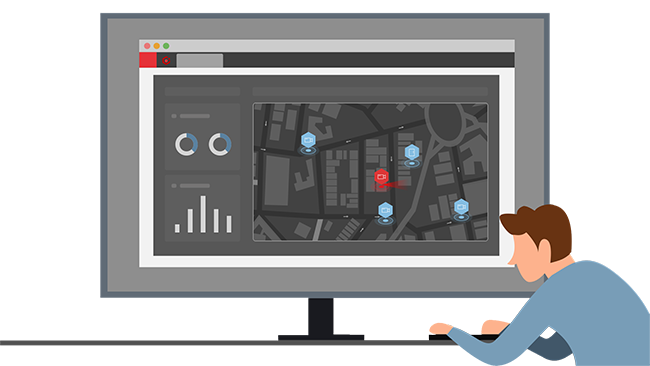
• Intuitive user interface The software offers a dynamic view of multiple sites of a building and access control device status based on an interactive E-Map. This allows effective responses to event alarms and device anomalies in a timely manner.
The new HikCentral Access Control is provided free of charge to Hikvision customers with up to 4 access doors, and up to 50 employees for clocking in and out. It can also be scaled quickly and flexibly for larger sites and workforces. Where necessary, it can also be upgraded to HikCentral Professional – a more sophisticated and versatile software platform – designed for centralized management of a variety of security and business applications, including video security, access control, alarm systems and more, for end-to-end protection of people and assets, and greater operational efficiency.
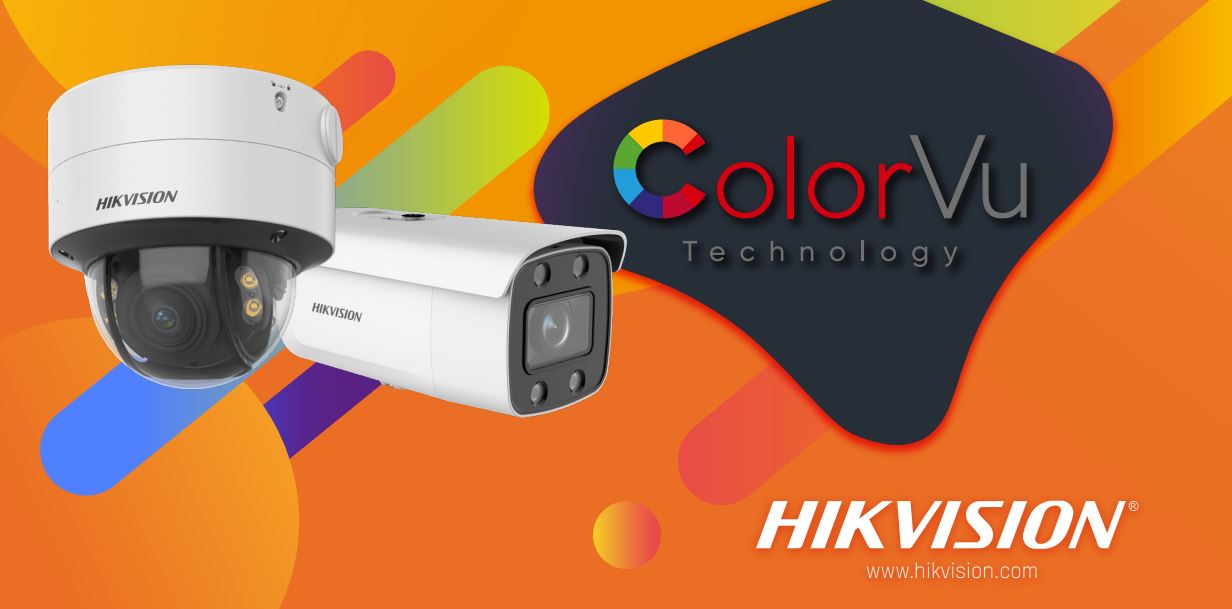
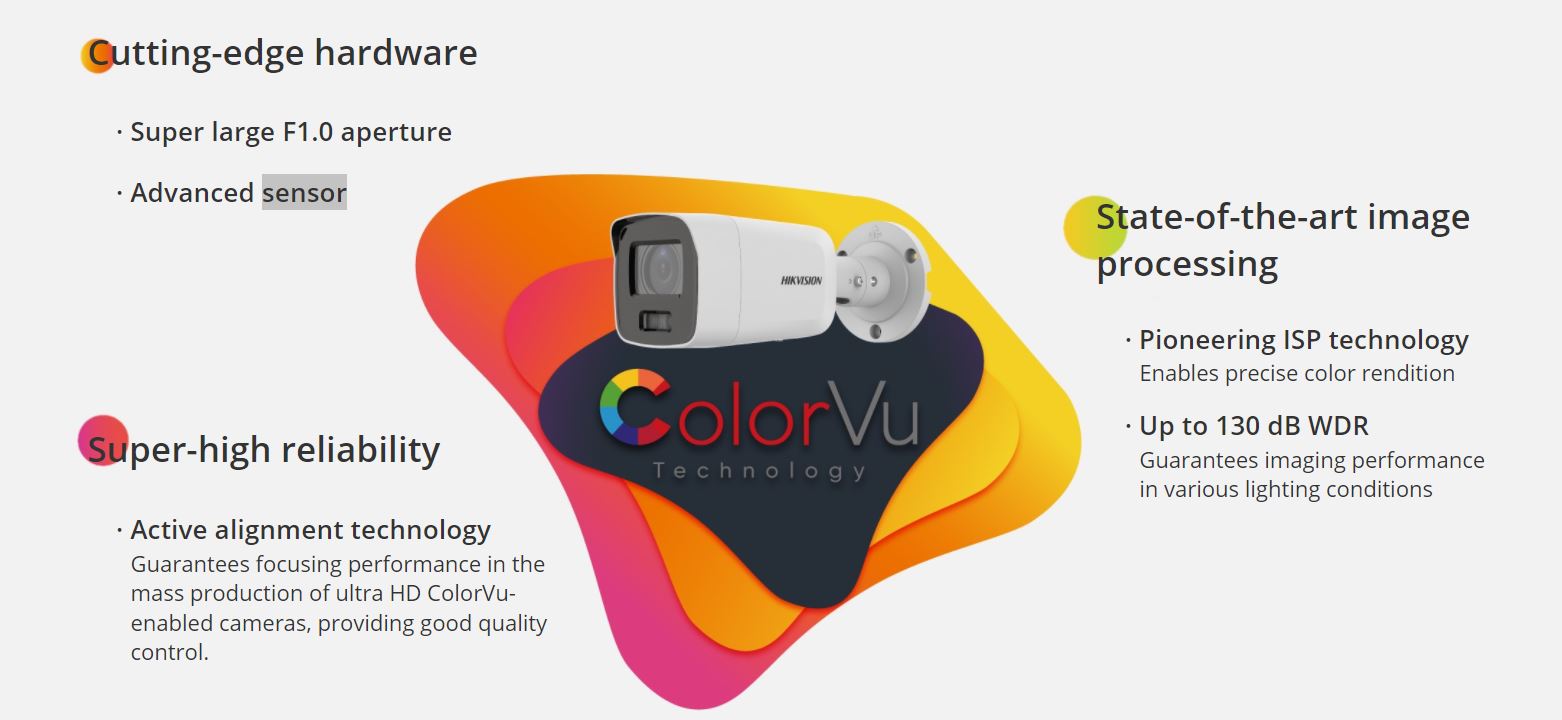
Hikvision’s industry-leading ColorVu technology captures high-quality, full-color video 24/7 so your security staff can protect people and property at night with the same sharp rendering as in daylight.
ColorVu technology’s powerful ability to capture details in low lighting emerges from three specific breakthroughs:
Cutting-edge hardware
State-of-the-art image processing
Super-high reliability
Why choose Hikvision?
Resolution up to 4K
ColorVu-enabled cameras render vivid color images in dim light, even down to 0.0005 lux – that’s the same lighting as a moonless, starlit night. This incredible capability to intensify minimal ambient light is achieved through two advanced features:
F1.0 Super Aperture – Capturing as much light as possible for the sensor 1/1.2” Large Sensor – Maximizing the use of available light
Zoom in vivid color
Varifocal cameras can adapt to more scenarios by changing the camera’s focal length, making inventory management easier. Hikvision’s Varifocal Cameras with ColorVu are designed with fixed F1.0 large aperture. While your camera zooms in or out, the image brightness will be guaranteed.
Intelligence meets ColorVu
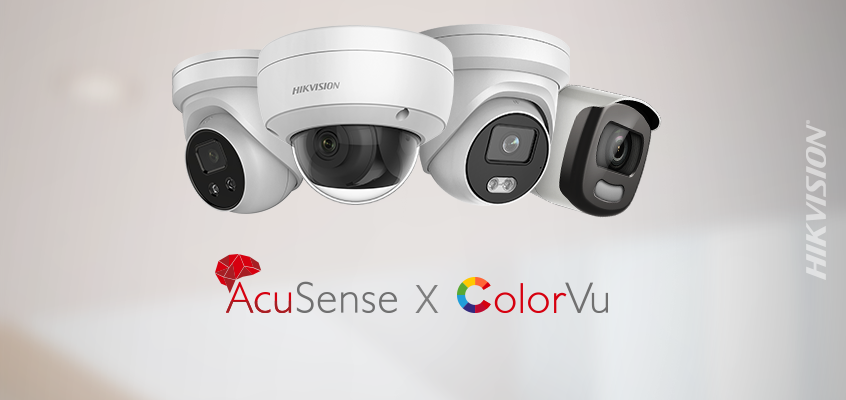
Combining ColorVu technology with AcuSense, these cameras capture human & vehicle targets with vivid color. Connected to Hikvision’s back-end products, users will enjoy detailed video playback and efficient footage searches.
Models equipped with Live Guard deter trespassers with visual and auditory warnings on-site while sending notifications to users remotely. They immediately react to intrusions during events to prevent loss and provide recorded, post-event evidence. Moreover, the audio alarms can be customized in various languages for various scenarios.
Nighttime performance comparison
ColorVu camera vs. Conventional camera
Please also watch this brief comparison video for a first-hand experience of the ColorVu camera’s round-the-clock performance.
Thank you for your long-term support to Hikvision. Hikvision plans to discontinue the iVMS-4500 software and HiDDNS service from February 15, 2022. We sincerely apologize for the inconvenience caused to you.
The impact of the service discontinuation: the www.hiddns.com website will be closed. The HiDDNS domain service cannot be used. The iVMS-4500 installed on the mobile phone can continue to be used but cannot be upgraded.
As alternative solutions, Hikvision has launched Hik-Connect App in 2016 and Hik-ProConnect platform in 2020. We will continue to upgrade these products according to user needs and feedback.
If you are an end-user who is using iVMS-4500 App and HiDDNS services, you can add the device to Hik-Connect for further use. Click here to view the introduction of Hik-Connect. Click here to see how to add devices to Hik-Connect. Access the following link to download Hik-Connect App: https://appstore.hikvision.com. You can also scan the following QR code to download.
If you are an installer who is using iVMS-4500 App and HiDDNS services, you can add devices to Hik-ProConnect portal and App to provide remote operation, maintenance and management services for your customers. Click here to view the introduction of Hik-ProConnect. Click here to see how to add devices to Hik-ProConnect. Visit Hik-ProConnect Portal: www.hik-proconnect.com. Download Hik-ProConnect App: https://appstore.hikvision.com. You can also scan the following QR code to download.
HikCentral Professional is Hikvision’s security management software for integrating and managing security systems. It’s designed to meet a variety of security challenges on a single platform.
With HikCentral Professional, you will manage multiple individual systems with ease, such as video security, access control, security alarms, and more, as well as explore cross-system functionalities. Daily operations become more efficient while protection of people and property improve all around. Users of all kinds are making smarter decisions.
Key advantages
A unified security system that enhances management operations
A unified security system that enhances management operations
Built over a truly unified architecture, the software provides connected and interactive applications to enhance your operational efficiency – for example, an intrusion alarm and access control with video verification, or perhaps visitor control with pre-registration of vehicles, and much more. By tapping into multiple sub-systems, it extends users’ awareness and empowers them with optimized management approaches.
Personalize your own security system
Whatever your role, be it manager, decision maker, HR staff, receptionist, security, or maintenance staff, the software will help you get prepared with pre-set modes. What’s more, the software also allows you to customize your own system with the applications you need based on the scenarios you are in. Moreover, users can create their own control panel based on their specific duties and routines, enhancing awareness and empowering them with custom, optimized management approaches.
Visualized systems, data, and maintenance
Data collected from various applications becomes easy to understand via dynamic reports and helpful, intuitive dashboards A personalized management and operations dashboard displays the information you need most. Also, an interactive and intuitive e-map enables you to locate and handle incidents quickly
Easy to deploy and use
Minimum system requirements for HikCentral Professional: i3, 8 GB RAM Smooth system operation even in low bandwidth environments powered by network adaptation technology Operation guidance wizard Easily integrates and empowers other Hikvision devices
Major applications
Video
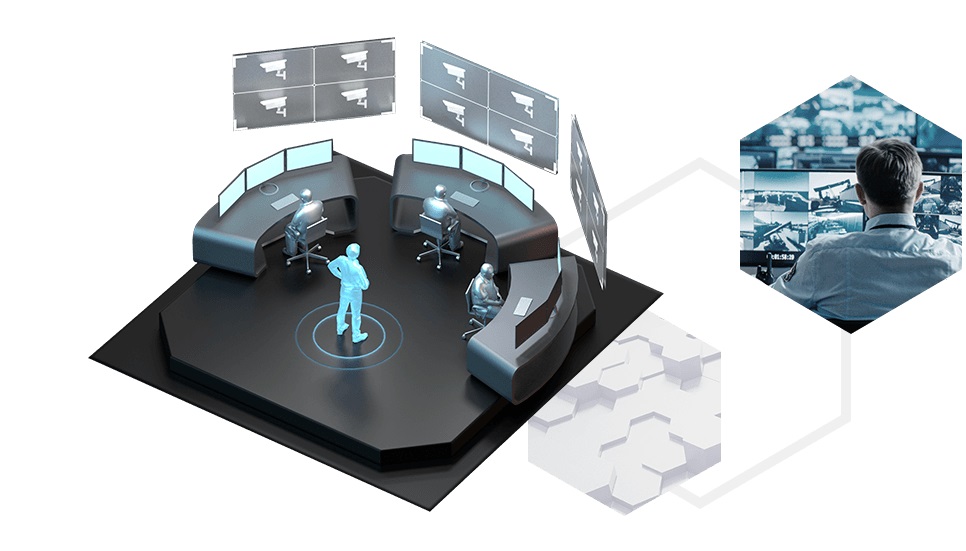
Efficient and comprehensive video surveillance, enabling users to customize their own view to get an all-encompassing perception of all videos, maps and data. What’s more, each video feed can be opened in a few seconds for quick preview and playback Quick incident search and location using thumbnails, convenient event search based on tags and VCA search analysis, and quick run-through of video based on event types Video export as evidence with several clips merged into one video file for reviewing, filing, and downloading in various formats including exe., avi., mp4, and more Low bandwidth network adaptability, automatically adjusting bitrate and resolution between clients and NVRs or IP cameras according to real-time network conditions Reliable and flexible storage, automated video backup during idle periods and channel-based video and image storage, satisfying diverse needs with multiple storage media and high availability
Access control
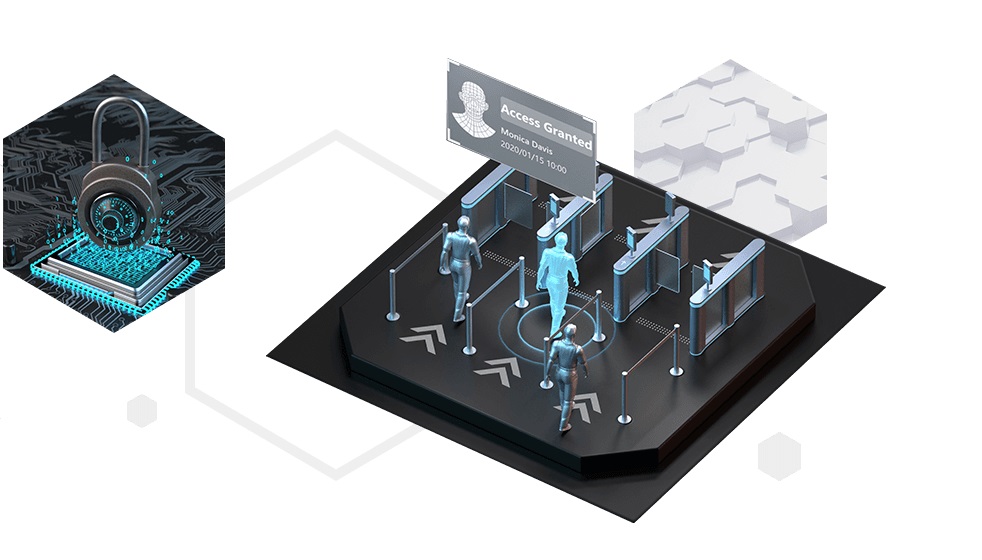
Comprehensive and flexible access management methods, with 5 credentials including fingerprint, face recognition, card, QR code, and PIN code, and 512 access levels to choose from Advanced access strategies for sensitive areas, including multi-door interlocking, first person in, anti-passback, multi-factor authentication, free, and forbidden access Convenient employee badge design and printing with necessary information and access permission, offering several unique styles and layouts to choose from Clear step-by-step guidance for easy credential assignment Remote personnel registration by scanning the QR code, facilitating convenient management of employees and other personnel Automatically open or close doors when the access control system triggers IP cameras to start recording, enabling security staff to check real-time videos and reduce on-site visits Keep doors open in emergencies when the alarm system triggers roll calls of stranded personnel, contributing to safety of personnel
Visitor
Digitalized visitor management reduces paperwork and costs Visitor registration in advance so they can pass through accessible areas as soon as they arrive Pre-defined access permission and traceable records help manage visitors securely Offering visitors a better experience with ANPR vehicle number plate recognition, fast access using ID card or face recognition, and self-service checkout at designated places
Vehicle
Flexible and efficient entrance & exit management with customizable release rules for vehicles and integration with Automatic Number Plate Recognition (ANPR) cameras. Improved parking experience for drivers with the parking guidance screen display the number of vacant parking spaces and the parking camera indicates the exact locations of vacant parking spaces, helping drivers quickly find vacant spaces for parking. Flexible billing for the varying needs of parking lots, for example, charging yearly, monthly or other scheduled time periods, or setting up unique billing rules for different types of drivers. Intuitive and efficient parking operation analysis and transaction analysis reports, helping management staff analyze operations as well as income and expenses.
Alarm detection
Centrally manage various alarm sources, such as video, access control, alarm panels, and third-party alarm inputs Real-time display of all kinds of alarms with automatic display of linked videos and locations Flexible linkage can be configured with access control devices, cameras, and more Automatic audio alarms to deter intruders while linking with IP speakers
Intelligent analysis
The video-based intelligent analysis dashboard enables flexible and extensible digital applications Smart commercial analyses – like flow, attribute, wait-time, and visitor trend analyses – facilitate smarter decision making
Digital signage
Manage and configure content for digital signage in an intuitive manner Eight types of pre-installed program templates are ready for use, saving users time and money All programs are created visually, making advertisement creation, flow control, attendance, and other functions easier and more efficient
Time & attendance
Flexible attendance rule-setting for normal, man-hour, multiple, or temporary shifts based on specific scenarios Diversified attendance reports with 16 of the most common types to choose from. Users can also create personalized report templates based on their needs. Reports can be exported in Excel, PDF, and CSV formats, among others Easy integration with third-party payroll systems via database, local files, or SFTP, and supports user-defined fields
Maintenance
Visualized network and device topology and alarm notifications allow quick targeting of abnormal events Logs are available for event trackback and evidence
Integration & Partnership
HikCentral Professional OpenAPI OpenAPI, an API server that comes with the HikCentral Professional platform, is designed with both ease of use and advanced security in mind. It is sure to help users build an integrated solution with Hikvision hardware easily and securely.
Integration Types OpenAPI supports the integration of a variety of solutions, such as Access Control Software, Time & Attendance Systems, ANPR, PSIM, and more.
Joint-Value Solutions Technology partners from around the world are launching their industry-proven solutions based on the HikCentral Professional OpenAPI.
At Ajax, we value an integrated approach to security. Therefore, we have added the possibility of connecting cameras and video recorders to Ajax security systems for you to be able to monitor the situation at the protected premises at any moment in time.
Today, we launch integration with the video surveillance equipment Hikvision and Safire. Now, you can add IP cameras and video recorders of these brands in the Ajax app with a few taps. In a couple of minutes, you can obtain a comprehensive video surveillance system that will help you protect your home and property.
The advantages of an Ajax-based video surveillance system
1. Control over the security system and video cameras from a single app
2. Check the situation in the case of an alarm instantaneously
3. Quick access to the selected cameras, video recorders or video streams
4. Save photo evidence of the incident in your smartphone’s memory
Maximum capabilities for video surveillance
You can connect up to 10 cameras and video recorders to Ajax with Hub and up to 50 devices with Hub Plus. Meanwhile, we do not limit the number of streams from video recorders with multiple connected cameras. They will all appear in the Add Cameras section even if their number exceeds the limits.
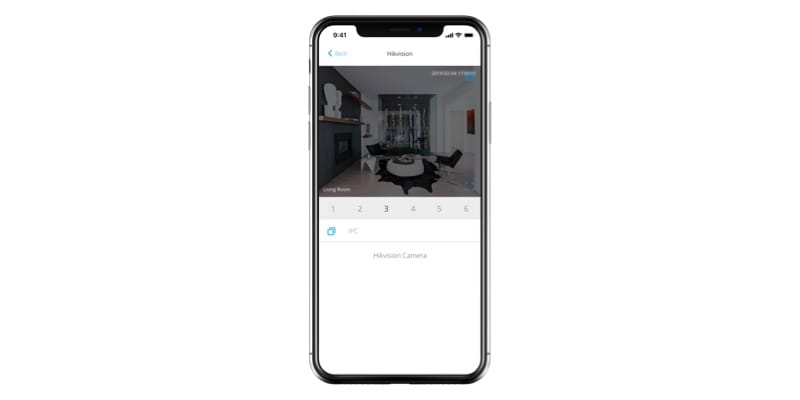
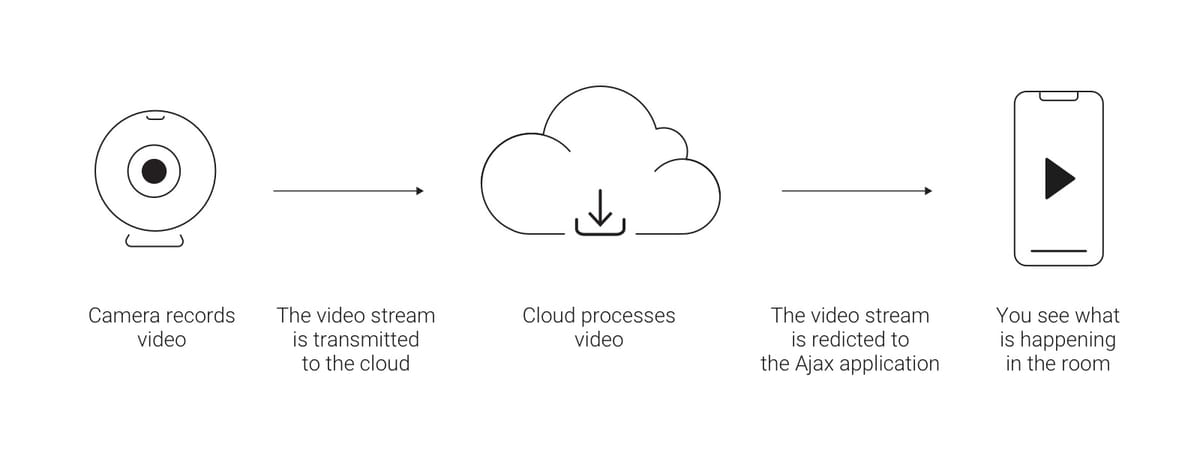
In the Ajax apps, you can view video of cameras, pause playback, and save snapshots from camera streams in your phone’s memory.
Full privacy mode
All your personal information is secure when you use the Ajax app. Passwords to access the Hikvision cloud video service and video streams are encrypted and are not stored by Ajax. Hence, only you and people you have given access to the cameras can view and playback videos.
If you need to save a video stream, we recommend that you use official Hikvision apps and services. Be sure to check the features of the cloud video service as some functions may only be available for an additional charge.
Where to start
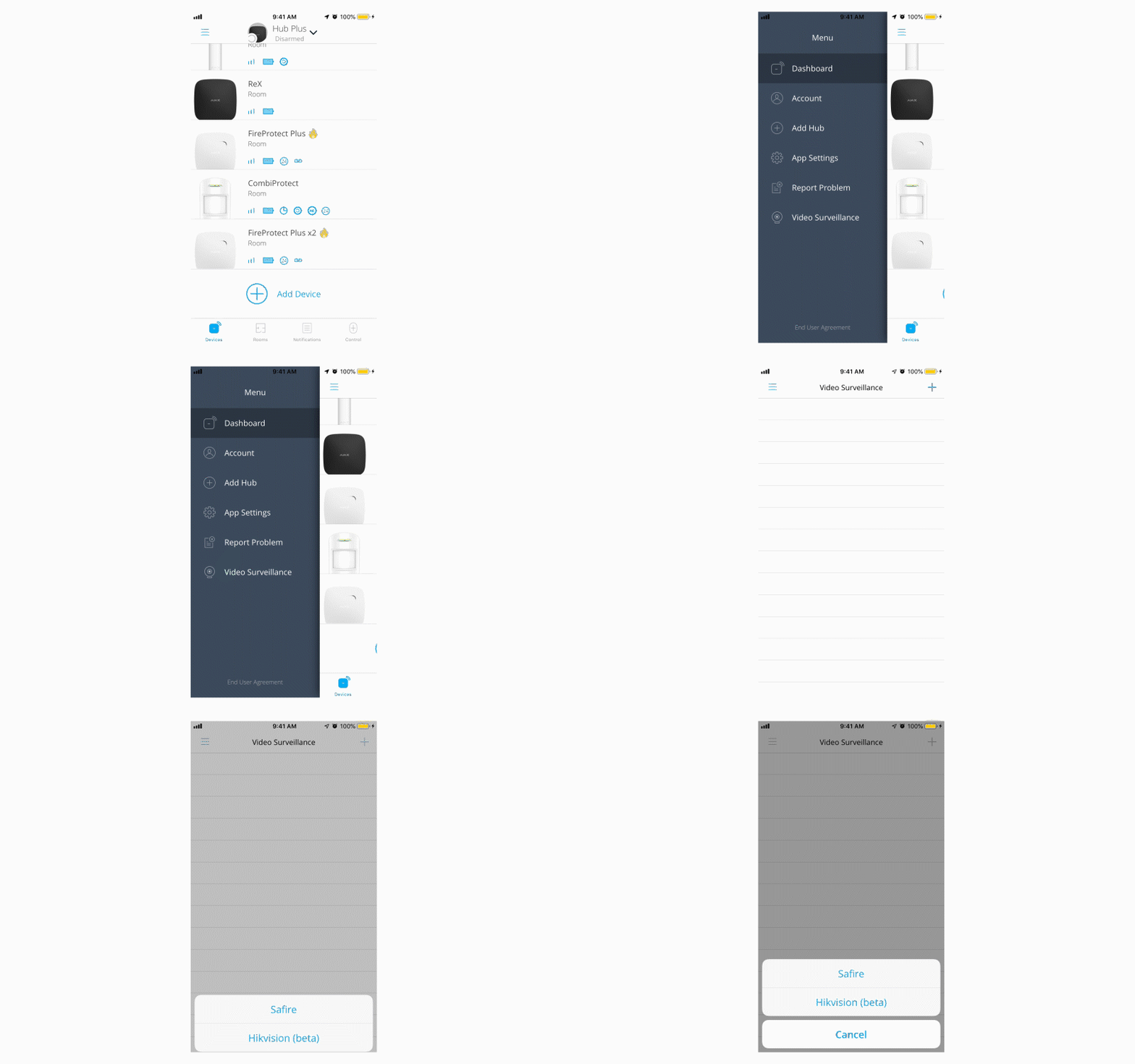
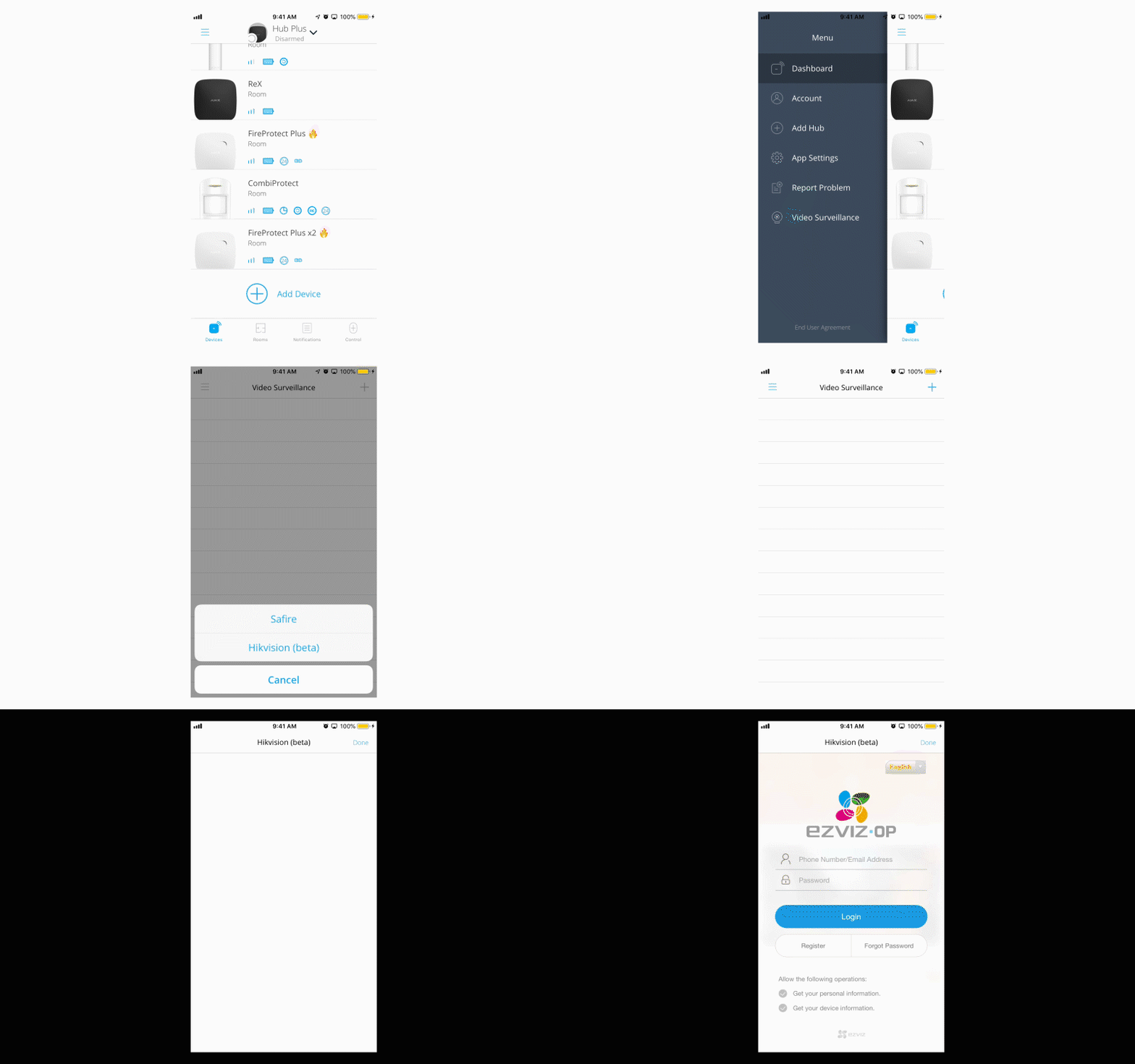
You will need an account in the Hikvision cloud service with cameras and video recorders added and configured in advance. Log in using the Ajax app (Menu > Video surveillance > Hikvision or Safire).
If you do not have an account, you can also create and set it up via the Ajax app. Cameras are configured and calibrated using the Hikvision software.
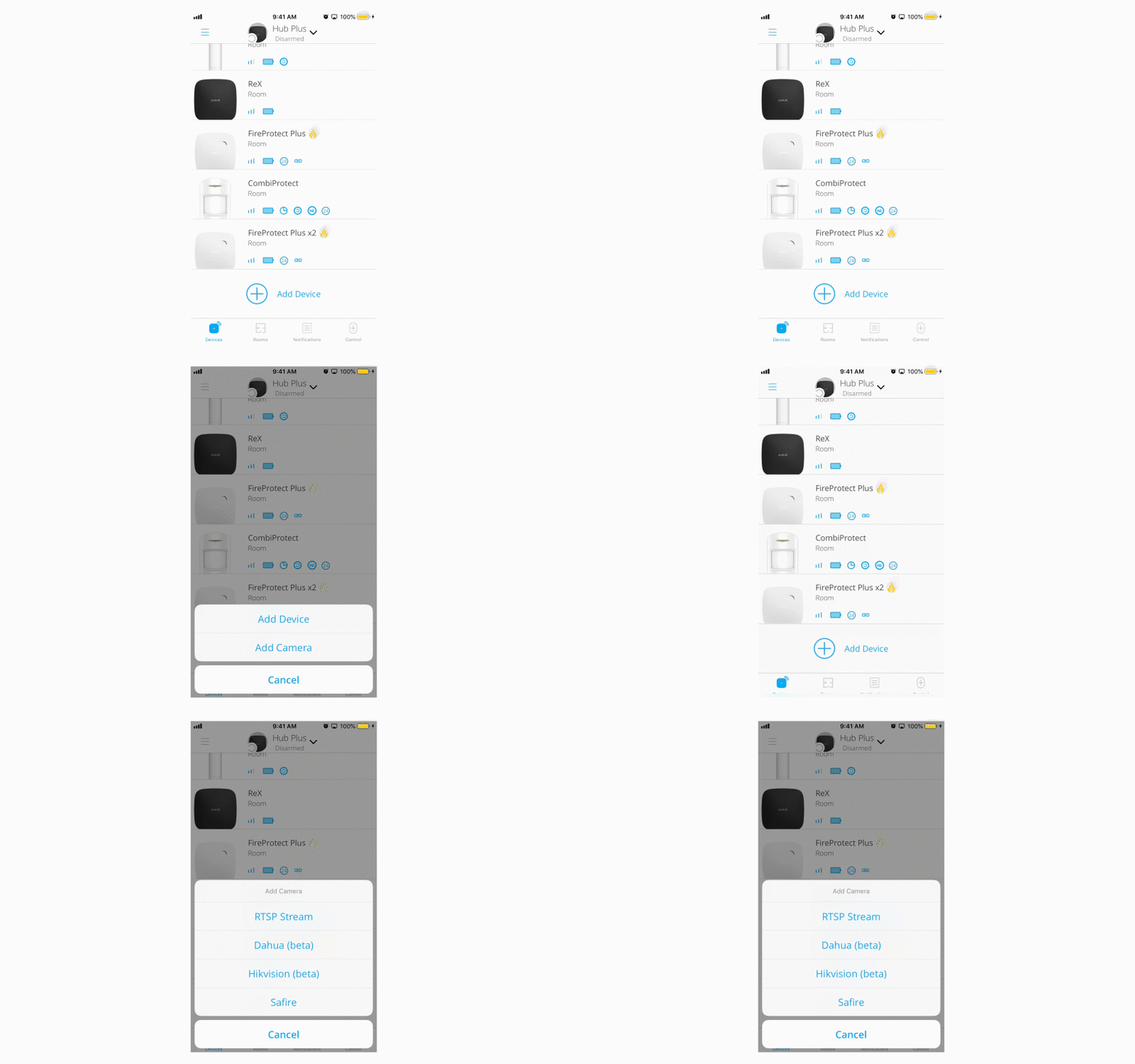
After an account is added, the app will pick up the available video streams from the cloud. In order to link a camera to the hub, go to Devices > Add camera > Hikvision or Safire.
This tool is specially designed to help Hikvision partners quickly detect critical vulnerabilities in devices in advance, and search for and download easily the updated important firmware that fixes the problem.
Note: You can use this tool to find recent CVE-2021-36260 vulnerabilities, as well as search for and download corresponding firmware updates.
How can I update firmware with the search tool?
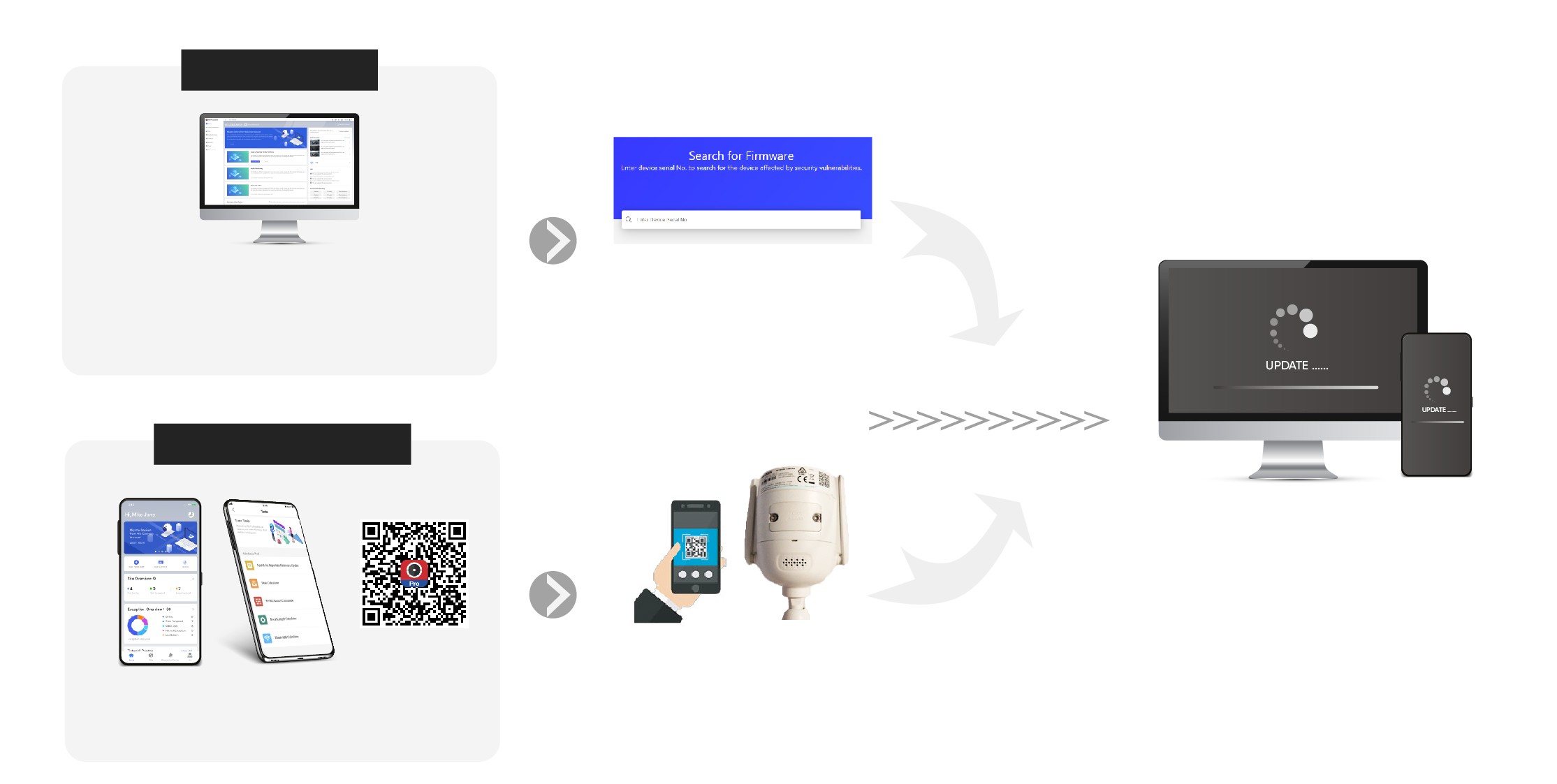
You can find and use this tool easily via Hik-ProConnect portal or the mobile app.
Via Portal
Visit Hik-ProConnect Portal https://www.hik-proconnect.com/ Locate it via the path: Log in → Tools → Search Tool for Important Firmware Update
Detect devices on the same LAN with your PC to find any recently added updates or information.
If a vulnerability is detected…
Update/upgrade the affected device with the corresponding firmware via the downloads page.
Via Mobile App
Locate it via the path: Log in → Me → Tools → Search Tool for Important Firmware Update
Scan the bar or QR code on a single device or a device multi-pack to initiate a search for updates.
Update/upgrade the affected device with the corresponding firmware via the downloads page.
Note: Your device firmware is affected by this security vulnerability (CVE-2021-36260) if its version dated earlier than 210628. Please install the updates immediately. You can also input the serial number on your device to search for firmware updates.